
Published by Bastion Prime | Edited by Heorhi Tratsiak, CEO
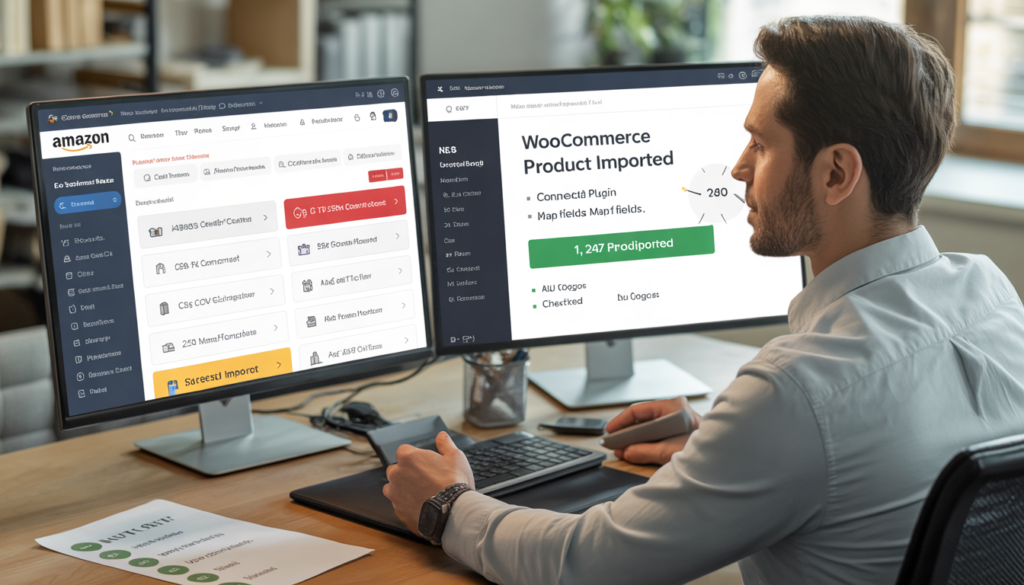
You have 3,000 products on Amazon. Exporting CSV files, cleaning up columns, fixing image URLs, and manually matching categories takes three people two weeks — and you still end up with missing variants and broken links. There’s a faster way. Here’s how to migrate products from Amazon to WooCommerce without manual CSV export, using API‑based tools and automation that preserve every SKU, image, and variation.
If you’re an Amazon seller looking to build your own WooCommerce store, the first question is always: “How do I get my products out of Amazon without losing my mind?”
The default answer — export CSVs from Seller Central, reformat them, and import into WooCommerce — is a nightmare. Amazon’s flat files are notoriously messy. Product variations (size, color, material) get split into separate rows. Images are stored as URLs that expire. Descriptions contain HTML that breaks your theme. And if you have hundreds or thousands of SKUs, manual cleanup is impossible.
The good news: you don’t have to do it manually. In 2026, there are reliable, affordable tools that use Amazon’s API to pull your product data directly into WooCommerce. No CSV wrangling. No spreadsheets. Just a few clicks and some configuration.
This guide walks through the three best methods, ranked by cost and complexity. By the end, you’ll have a clear path to move your entire Amazon catalog to WooCommerce — and you’ll never touch a CSV again.
Part 1: Why Manual CSV Export Is a Trap (And How Much It Really Costs)
Let me show you why the “free” CSV method is actually the most expensive option.
The Manual Process (What Most Sellers Try)
| Step | Time per 100 SKUs | Cumulative (1,000 SKUs) |
|---|---|---|
| Export Amazon inventory report | 10 min | 10 min |
| Clean up columns (remove unused fields) | 30 min | 5 hours |
| Fix image URLs (Amazon links expire) | 20 min | 3.3 hours |
| Map categories to WooCommerce taxonomies | 40 min | 6.7 hours |
| Re‑create product variations (size/color combos) | 60 min | 10 hours |
| Upload via WooCommerce importer | 10 min | 10 min |
| Total | ~3 hours | ~25 hours |
At $50/hour for a virtual assistant, migrating 1,000 SKUs manually costs $1,250 in labor. And that’s assuming no mistakes. In reality, most sellers spend weeks fixing errors: missing images, wrong prices, broken variations.
Then there’s the hidden cost: lost sales during migration. Every day your products aren’t live on WooCommerce is a day you’re not building your email list or reducing Amazon dependency.
A manual migration of 1,000 SKUs typically takes 2–4 weeks from start to finish. An API‑based migration takes 1–2 days. The difference in opportunity cost alone is thousands of dollars.
Part 2: Method 1 – Automated Migration Plugins (Best for Most Sellers)
If you have fewer than 5,000 SKUs and want a balance of cost and convenience, use a dedicated migration plugin. These tools connect directly to Amazon’s API, pull your product data, and push it to WooCommerce.
Top Plugins Compared
| Plugin | Price | SKU Limit | Features | Best For |
|---|---|---|---|---|
| LitExtension | $99–$499 one‑time | Unlimited | Migrates products, categories, images, reviews, customers, orders | Stores up to 10k SKUs |
| Cart2Cart | $0.09 per entity | Unlimited | Pay‑as‑you‑go, supports 140+ platforms | Small catalogs (<500 SKUs) |
| S2W – Import Shopify to WooCommerce | $69–$199 | Unlimited | Originally for Shopify, but works with Amazon CSV+API hybrid | Sellers also on Shopify |
| WP All Import Pro | $249/year | Unlimited | Requires CSV but offers powerful transformation rules | Sellers comfortable with some manual work |
Step‑by‑Step Using LitExtension (Example)
LitExtension is the most popular choice for Amazon → WooCommerce migrations because of its balance of price and features. Here’s how to use it.
Step 1: Install the plugin on your WooCommerce site (Plugins → Add New → search “LitExtension”).
Step 2: Create a migration bridge. You’ll need to provide your Amazon Seller Central credentials (the plugin uses Amazon’s API, so you don’t need to export CSVs). LitExtension will request read‑only access to your product catalog.
Step 3: Select entities to migrate. Choose products, categories, images, product attributes, and optionally customer emails (if you have permission).
Step 4: Map fields. The plugin will suggest matches between Amazon fields (e.g., “item_sku”) and WooCommerce fields (e.g., “SKU”). Review and adjust. Most mappings are automatic.
Step 5: Run migration. The plugin will process your products in batches. You’ll see a progress bar. Depending on catalog size, this takes 30 minutes to a few hours.
Step 6: Post‑migration cleanup. Check a sample of products to ensure images loaded, prices are correct, and variations are grouped properly. Fix any issues manually.
Cost example for 1,000 SKUs: LitExtension’s “All-in-One” package is $299 one‑time. That’s less than a quarter of the labor cost of manual migration. And you don’t have to touch a single CSV.
Related: Once your products are migrated, you’ll want to set up email automation. Read our guide From Launch to First Sale: A Roadmap for Your New WooCommerce Store.
Part 3: Method 2 – API‑First Connectors (For Technical Users)
If you have a developer on staff or you’re comfortable with code, you can use an API‑first integration tool to build a custom sync. This gives you more control but requires more setup.
Recommended Tools
| Tool | Price | Technical Level | Best For |
|---|---|---|---|
| Zapier | $20–$100/mo | Low | Simple product pushes (under 500 SKUs) |
| Make (Integromat) | $10–$60/mo | Low‑Medium | More complex mappings, larger catalogs |
| Celigo | $500+/mo | Medium | Enterprise‑scale sync (10k+ SKUs) |
| Custom API script | Developer cost ($1k–5k) | High | Complete control, recurring sync |
How to Build a Custom API Sync (High‑Level)
Amazon’s SP‑API (Selling Partner API) allows you to fetch product listings, inventory, and pricing. WooCommerce has its own REST API. A custom script can:
- Authenticate with Amazon SP‑API using your seller credentials.
- Fetch all products (paginated, to avoid timeouts).
- Transform the data: map Amazon categories to WooCommerce categories, convert product options to attributes, and rewrite image URLs to permanent storage.
- Push to WooCommerce via its REST API (creating or updating products).
Cost estimate: A freelance developer might charge $1,500–3,000 for this script. If you plan to sync inventory or orders regularly, this can be worthwhile. For a one‑time migration, a plugin is cheaper.
Part 4: Method 3 – The Hybrid Approach (CSV + Automation)
If you’re not ready to trust a plugin but don’t want to do everything manually, use a hybrid method: export CSVs from Amazon, then use automation tools to clean and import them.
Step‑by‑Step Hybrid Method
Step 1: Export your Amazon inventory from Seller Central (Reports → Inventory Reports → Active Listings Report). Choose “Flat File” format.
Step 2: Upload the CSV to a data transformation tool like EasyCSV or CSV2Woo. These tools let you map columns visually and apply rules (e.g., “concatenate size and color into a variation name”).
Step 3: Clean up common issues:
- Image URLs: Amazon URLs expire. Download all images to your server or a cloud service (Cloudinary, Imgix) and replace the URLs in the CSV.
- Description HTML: Use a tool like HTML Cleaner to strip unwanted tags.
- Variations: Amazon’s flat file lists each variation as a separate row. Your transformation tool must group rows by parent SKU.
Step 4: Import the cleaned CSV using WP All Import Pro (supports merging, updating, and custom PHP functions for advanced logic).
Time estimate for 1,000 SKUs: 4–6 hours (much faster than manual, but slower than API plugins).
Part 5: Comparison Table – Which Method Should You Choose?
| Method | Time (1k SKUs) | Cost | Technical Skill Required | Risk of Errors |
|---|---|---|---|---|
| Manual CSV | 25+ hours | $1,250 (labor) | Low | High |
| Plugin (LitExtension) | 1–2 hours | $299 one‑time | Low | Low |
| API‑first (Zapier/Make) | 3–6 hours | $50–100/mo | Medium | Medium |
| Custom API script | 10–20 hours dev | $1,500–3,000 | High | Low |
| Hybrid (CSV + tool) | 4–6 hours | $100–200 | Medium | Medium |
My recommendation: For most Amazon sellers with 200–5,000 SKUs, use LitExtension or Cart2Cart. The cost is low, the time is minimal, and the error rate is near zero. For catalogs under 200 SKUs, manual CSV with WP All Import is fine if you’re on a tight budget. For over 5,000 SKUs, consider a custom API script or enterprise tool like Celigo.
Part 6: Post‑Migration Checklist (Don’t Skip These Steps)
After you migrate your products, you’re not done. Run through this checklist to ensure your WooCommerce store is ready for customers.
| Task | Why It Matters | Time |
|---|---|---|
| Check product images | Amazon URLs may break; upload images permanently | 30 min |
| Verify prices and inventory | Ensure no decimal errors or missing stock | 15 min |
| Test checkout with a real product | Catch payment or shipping issues before going live | 10 min |
| Set up 301 redirects | If you’re deactivating Amazon pages, redirect old URLs to new ones | 1 hour |
| Install email capture | Add a popup or form to start building your list | 15 min |
| Submit sitemap to Google | Help Google index your new product pages | 5 min |
Need help with post‑migration SEO? Read our WooCommerce SEO guide – 10 settings that actually work.
Part 7: The Contrarian Take – When You Should NOT Automate
I’ll lose some consulting fees here, but honesty matters.
Do not use an automated migration plugin if:
- You have fewer than 50 SKUs. Manual CSV export is faster than setting up a plugin.
- Your Amazon catalog is extremely custom (e.g., each product has unique, complex options that don’t fit WooCommerce’s attribute system). You’ll need manual cleanup anyway.
- You’re also migrating customer data and orders, and you need GDPR/CCPA compliance. Plugins may not handle consent properly.
For everyone else, automation is a no‑brainer. The time and money you save can be spent on marketing, design, or email automation — activities that actually grow your business.
Your Next Move
Migrating products from Amazon to WooCommerce doesn’t have to be a nightmare. Choose the method that fits your catalog size and budget, run the migration, and spend your energy on building a brand you actually own.
If you’d rather have experts handle the entire migration — including product import, review migration, email setup, and SEO configuration — check out our Growth Package ($3,997). We’ll migrate up to 200 products, set up your store in 18 days, and you’ll never touch a CSV.
Book a free consultation to discuss your catalog size and get a fixed price. No obligation. Just the plan.
👉 Book Your Free Consultation →