
You sell wholesale. Your customers want different prices based on how much they buy. Gold level gets 25% off. Silver gets 15%. Some clients pay net 30. Some pay upfront. And your current platform? It treats everyone the same. You’re sending manual invoices. You’re chasing payments. You’re losing deals because your checkout can’t handle “invoice me later.”
I’ve helped over a dozen B2B brands pick their platform. Some came from Shopify. Some from WooCommerce. All of them had the same complaint: their platform was built for direct-to-consumer, not for businesses that need bulk pricing and payment terms.
Shopify and WooCommerce both claim they do B2B. But the reality is different. One platform forces you into expensive apps. The other gives you more control but requires more setup. Let me show you exactly how they compare on tiered pricing, net terms, and the messy stuff that B2B requires.
Part 1: What B2B Actually Needs (Not What Marketing Pages Promise)
Before comparing platforms, let’s get real about what a wholesale operation needs.
Tiered pricing. Customer A pays $10 per unit for 1–49 units, $8 for 50–199, $6 for 200+. Customer B has their own custom price list because they spend $50k a year. Your platform must handle both.
Net terms. Not everyone pays by credit card. Some pay in 30 days. Some in 60. Some send a purchase order and you invoice them later. Your checkout needs to support “pay later” without breaking your accounting.
Minimum order quantities. Don’t waste time on a $50 order. Set a $500 minimum. Or per‑product minimums: at least 12 units of this SKU.
Customer‑specific catalogs. Your retail customers shouldn’t see wholesale prices. Your wholesale customers shouldn’t see liquidation deals. Some products are invite‑only.
Quote management. A customer emails: “I want 500 units of SKU-123, but can you do $7.50 instead of $8?” Your sales rep creates a quote, sends a link, customer pays. No back‑and‑forth emails.
Shopify and WooCommerce handle some of these out of the box. Others require plugins. Let’s dig in.
Part 2: Shopify’s B2B Approach – Clean Interface, But You’ll Pay
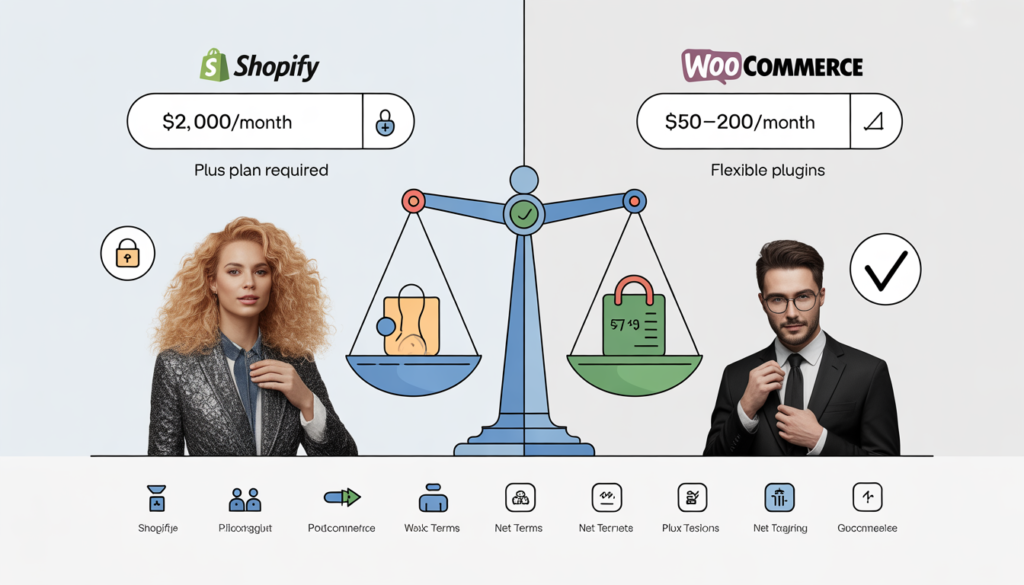
Shopify launched its native B2B features in 2022. They’ve improved since then. Here’s what you get on Shopify Plus (their enterprise plan, starting around $2,000/month).
Tiered pricing. Yes, but limited. You can set quantity breaks and customer‑specific pricing. You cannot easily do “buy 10, get 10% off; buy 50, get 20% off” across an entire catalog without a third‑party app.
Net terms. Yes. You can set payment terms like net 30 per customer. They can checkout with “pay later” and you invoice them. Works well for basic use cases.
Minimum order quantities. Yes. You can set a minimum on the cart. Per‑product MOQs require an app.
Customer‑specific catalogs. Yes. You can hide products from certain customer groups. Works well for separating retail from wholesale.
Quote management. No. Shopify has nothing built in for quotes. You’ll need an app like Request a Quote or B2B Wholesale Quote. Those apps cost extra and vary in quality.
The catch: Most of these features require Shopify Plus, which starts around $2,000/month. The standard Shopify plan ($79–$399) has almost no B2B functionality. And even on Plus, advanced features (complex pricing rules, per‑product MOQs, quote workflows) will need third‑party apps at $50–$200 per month each.
A B2B store on Shopify Plus can easily cost $3,000–5,000 per month in platform fees plus apps.
Related: If you’re considering Shopify for B2B, read our breakdown of Shopify’s hidden transaction fees.
Part 3: WooCommerce’s B2B Approach – More Control, More Setup
WooCommerce costs nothing for the core software. You pay for hosting, plugins, and your time. Here’s what you get.
Tiered pricing. Not native. You need a plugin. B2BKing, Wholesale Suite, or WholesaleX cost $150–400 one‑time. They handle quantity breaks, customer‑specific pricing, and even dynamic rules like “buy any 10 items across this category, get 15% off.”
Net terms. Not native. Plugins like “Net Terms for WooCommerce” or B2BKing (includes it) cost $100–200. Customers select “pay by invoice” at checkout. You approve or deny based on their history.
Minimum order quantities. Yes, with plugins. Set cart minimums or per‑product MOQs. Works well.
Customer‑specific catalogs. Yes. Hide products by user role. Wholesale customers see wholesale prices. Retail sees retail.
Quote management. Yes, with plugins. Customers request a quote. You create one. They get a link to pay. All done.
The catch: You need to install and configure plugins. That takes time. If you’re not technical, hire someone. But the total cost for plugins is $500–1,000 one‑time, not $2,000 every month.
A B2B store on WooCommerce costs about $50–200 per month for hosting plus a few hundred dollars in one‑time plugin fees. That’s a fraction of Shopify Plus.
Related: For a deeper look at automating B2B orders, read Your Sales Team Is Wasting 40% of Their Time on Manual Orders (And How Salesforce Fixes It).
Part 4: Head‑to‑Head Comparison Table
Let me put this side by side for a mid‑sized B2B store with 500 products and 200 wholesale customers.
| Feature | Shopify (Plus) | WooCommerce (with plugins) |
|---|---|---|
| Monthly platform cost | $2,000+ | $50–200 (hosting) |
| One‑time plugin cost | $0 (but apps monthly) | $500–1,000 |
| Monthly app cost | $100–400 | $0–50 |
| Tiered pricing | Basic (Plus only) | Advanced (plugins) |
| Net terms | Yes (Plus only) | Yes (plugins) |
| Minimum order quantity | Cart only (Plus) | Per product (plugins) |
| Customer‑specific catalogs | Yes (Plus) | Yes (plugins) |
| Quote management | No (needs app) | Yes (plugins) |
| Setup difficulty | Low | Medium |
| Time to launch | 2–4 weeks | 3–6 weeks |
The bottom line: Shopify Plus is easier to set up but costs a lot more every month. WooCommerce takes more work upfront but saves you thousands per year.
Part 5: Real Example – What One B2B Brand Actually Paid
I worked with a custom printing company. They sold to marketing agencies. Volume discounts, net 30 terms, and custom quotes for every order.
They started on Shopify. Their stack: Shopify Plus ($2,000/mo), Wholesale Pricing Pro app ($99/mo), Request a Quote app ($79/mo), Net Terms app ($49/mo). Total monthly: $2,227. Plus transaction fees (2.4% + $0.30). Their average order was $1,200. Transaction fees added another $29 per order.
They switched to WooCommerce. Hosting: $150/mo (Kinsta). Plugins: B2BKing ($299 one‑time), a small quote extension ($99). No monthly app fees. Transaction fees: 2.9% + $0.30 (Stripe). Same order, same fees. But the monthly platform cost dropped from $2,227 to $150.
Annual savings: $24,924.
That’s not a small number. That’s a new hire. That’s a marketing budget.
Part 6: The Messy Parts Nobody Warns You About
Both platforms have issues. Let me save you the headache.
Shopify’s hidden limitation: Their net terms feature creates a draft order that the customer pays later. But if you need to integrate with your ERP (NetSuite, SAP), good luck. Shopify’s API for net terms is limited. You’ll need custom middleware or an expensive app.
WooCommerce’s learning curve: Setting up tiered pricing correctly takes time. You need to understand product attributes, user roles, and discount logic. If you get it wrong, customers see the wrong price at checkout. Test thoroughly before going live.
Both platforms struggle with complex quotes. If your sales reps create custom quotes with one‑off pricing, you’ll need specialized tools regardless of platform. Some B2B brands still use manual processes for quotes and only automate standard orders.
Related: For complex B2B needs, consider integrating with Salesforce. Read Salesforce for Small Business? When to Leave WooCommerce Behind.
Part 7: The Contrarian Take – When Neither Platform Is the Answer
I’ll lose some consulting fees here, but honesty matters.
Don’t use Shopify or WooCommerce for B2B if:
- You have over 10,000 wholesale customers. You need a dedicated B2B platform like OroCommerce or a full ERP.
- Your pricing changes daily based on raw material costs. Neither platform handles real‑time dynamic pricing well.
- You need offline synchronization. Your sales reps work in remote areas with spotty internet. You need a native app.
Do use Shopify or WooCommerce if:
- You have 50–2,000 wholesale customers.
- Your pricing is relatively stable (changes quarterly, not daily).
- You want to avoid paying $50k+ for an enterprise B2B platform.
For 90% of small to mid‑sized B2B brands, WooCommerce is the better financial choice. The savings on platform fees alone justify the extra setup time.
Part 8: How to Decide – A Simple Framework
Ask yourself three questions.
Question 1: What’s your monthly B2B revenue?
- Under $50k: WooCommerce. You can’t afford Shopify Plus.
- $50k–200k: WooCommerce still wins on cost. But if you have zero technical resources, consider Shopify Plus.
- Over $200k: Both work. Run the numbers. WooCommerce will save you $20k–40k per year.
Question 2: Do you have a developer or agency?
- Yes: WooCommerce gives you more control.
- No: Shopify Plus is easier. But you’ll pay for that ease.
Question 3: How complex are your pricing rules?
- Simple (quantity breaks, customer groups): Both work.
- Complex (mix‑and‑match, category‑based, time‑based): WooCommerce with B2BKing is more flexible.
Your Next Move
You don’t need to guess which platform works for B2B. Test them.
Set up a free WooCommerce site on staging. Install B2BKing (they have a free trial). Configure a few products with tiered pricing. See if it makes sense.
If it feels too technical, book a call with us. We’ve built B2B stores on both platforms. We’ll recommend the right one for your specific catalog and customer rules. No hourly billing. Just a fixed price.
Book a free B2B platform consultation.
👉 Book Your Free Consultation →
Related Reading
- B2B E‑commerce: Stop Emailing Spreadsheets – Tiered Pricing, MOQs, and Private Catalogs Without an Enterprise Budget
- Your Sales Team Is Wasting 40% of Their Time on Manual Orders (And How Salesforce Fixes It)
- Salesforce for Small Business? When to Leave WooCommerce Behind
- Store Audit & Strategy Session ($197 – credited toward any package)
- Growth Package ($3,997) – For Sellers Ready to Scale
- Premium Package ($7,997) – Complete Done‑For‑You Store for Established Brands