
Published by Bastion Prime | Edited by Heorhi Tratsiak, CEO
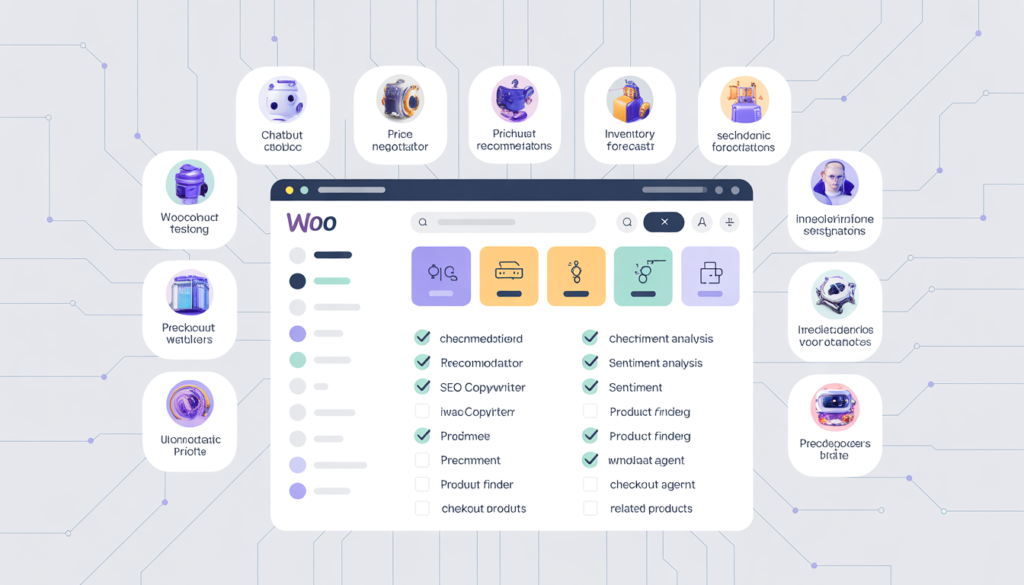
You’ve heard the hype about AI agents. But when you search for “AI for WooCommerce,” you find either expensive enterprise solutions or vague promises. Here’s the truth: there are at least ten functional AI agents you can install this weekend — for free or under $50/month. They handle product recommendations, price negotiations, inventory forecasting, SEO copywriting, and even social sentiment analysis. This checklist names each tool, tells you what it costs, and gives you the three‑minute “get started” instruction. No fluff. No “contact sales.” Just working AI.
AI agents aren’t coming. They’re already here. And they’re not just chatbots anymore. Today’s AI agents can predict stockouts before they happen, negotiate prices with bargain‑hunting customers, scrape social media for product feedback, and even let ChatGPT check out on behalf of your customers.
The difference between winning and losing in 2026 won’t be which platform you use. It’ll be how many AI agents you’ve trained to work for you while you sleep.
Below are ten AI agents — each solving a specific e‑commerce problem — that you can deploy in your WooCommerce store today. I’ve included real plugin names, pricing, and step‑by‑step activation instructions.
Part 1: AI Agents That Talk to Your Customers
1. PlugnAI – Full‑featured shopping assistant
What it does: Acts like Amazon’s Rufus inside your store. Customers type natural language questions like “Show me waterproof hiking boots under $120,” and PlugnAI returns product cards, lets them compare side‑by‑side, and even add items to cart directly from the chat window. It supports multi‑language replies and can be displayed as a floating widget or a side panel.
Pricing: 14‑day free trial, then ~$29/month depending on usage.
Get started: Install plugin from WordPress.org → Activate → WooCommerce → PlugnAI Assistant → connect your account or enter an API key. Products sync automatically within minutes.
2. ShopBot AI – Claude‑powered product Q&A
What it does: Uses Anthropic’s Claude model to answer product questions based on your live catalog, shipping rules, and custom FAQs. When a customer asks “Do you have a rain jacket for hiking?” ShopBot AI understands intent and returns relevant products even if the customer’s wording doesn’t exactly match your product titles.
Pricing: Free tier: 20 chats/month across 20 synced products. Paid plans start at $79/year for 500 chats/month.
Get started: Install → Activate → ShopBot AI menu → enter WooCommerce REST API keys (Settings → Advanced → REST API → Add key → Read permission). The widget appears on your front end immediately.
3. WPCraftEngineer Product Finder – Free natural language search
What it does: A completely free natural language search engine. Shoppers ask “Show me products under $50” or “What’s new this week?” and the plugin surfaces matching products with image/price cards. It includes both a zero‑cost keyword mode (no external AI key) and optional AI provider modes (OpenAI, Google Gemini, Anthropic). Even the AI‑enabled version has no mandatory monthly fee — you use your own API key and pay only your own usage costs (pennies per query).
Pricing: 100% free. No premium version.
Get started: Install → Activate → navigate to Product Finder in wp‑admin. Enable the chatbot, choose Keyword mode (free) OR paste an OpenAI/Gemini/Anthropic API key, then test the widget on your front end.
4. AI Price Negotiator – Chat‑based cart negotiation
What it does: Adds a “Want a better deal?” widget to your checkout page. Price‑sensitive customers make an offer on their entire cart (e.g., “I’ll pay 42forthis50 cart”), and an AI sales negotiator counter‑offers using your floor‑price settings. When a deal is accepted, a unique coupon is auto‑applied. Perfect for high‑AOV stores or for clearing slow‑moving inventory.
Pricing: Completely free and open source.
Get started: Install → Activate → WooCommerce → Settings → AI Negotiator → enter your OpenAI API key → set a global floor price percentage (default 70%). Clients will see the negotiation prompt automatically on the checkout page.
Part 2: AI Agents That Optimize Prices and Recommendations
5. Smart Related Products – AI‑inspired recommendations
What it does: Replaces WooCommerce’s default “related products” with an AI algorithm (item‑based collaborative filtering) that shows “frequently bought together” and personalized suggestions based on customer browsing and purchase history. A/B tests show AI‑driven recommendations can increase AOV by 12–22% when displayed on cart, product, and checkout pages.
Pricing: Free basic version available; Pro version (starts at $99/year) unlocks collaborative filtering, Elementor block, and Gutenberg block support.
Get started: Install → Activate → the recommendations automatically replace WooCommerce’s default related product logic. No configuration required.
6. Adaptive Pricing for WooCommerce – AI‑driven dynamic pricing
What it does: Automatically adjusts product prices in real time based on demand, inventory levels, competitor prices, and customer segments. For example, it can lower prices on overstocked items, raise prices on high‑demand products, or offer personalized discounts to first‑time buyers. The AI learns from sales data and continuously optimizes for margin and conversion.
Pricing: Paid plugin starting at ~$149/year. Free trial available.
Get started: Install → Activate → Adaptive Pricing menu → configure pricing rules (e.g., “reduce price by 10% when stock exceeds 200 units”) → enable AI mode, which learns from historical data to set optimal prices without manual rules.
Part 3: AI Agents That Manage Inventory and Forecast Demand
7. StockOracle AI – Local inventory forecasting
What it does: Analyzes stock levels and order history to show reorder alerts, demand forecasts, stockout risk, dead stock detection, and an overall inventory health score. All processing runs on your own server (no external API required), so there’s no recurring cost and no data privacy concerns. The free version covers core forecasting; the Pro upgrade (adds OpenAI/Anthropiс AI forecasting and purchase‑order tools) starts at $129/year.
Pricing: Free core plugin; Pro version $129/year.
Get started: Install → Activate → StockOracle → Settings → configure forecast period, lead time, safety stock, and alert preferences. Core inventory analysis appears immediately in the dashboard.
8. Verve AI – Demand forecasting with external AI models
What it does: Analyzes your WooCommerce order history using cloud‑based machine learning models to generate forward‑looking demand forecasts and reorder suggestions. It factors in supplier lead times, seasonality, and recent sales trends, and can even generate purchase orders based on forecasted demand.
Pricing: Plugin is free; external Verve AI forecasting platform starts at ~$49/month after trial.
Get started: Install → Activate → Verve AI menu → click “Connect to Verve AI” → follow OAuth setup to link your store to the forecasting platform → the system will begin analyzing order history and generating AI forecasts within hours.
Part 4: AI Agents That Write Content and SEO
9. DesignGrid AI Descriptions – Bulk product copywriter
What it does: Generates SEO‑ready product titles, short descriptions, full descriptions, and meta tags with one click across multiple products simultaneously. Choose from six tones (professional, casual & friendly, luxury & premium, technical, playful, minimalist). The plugin uses your own OpenAI API key; there’s no monthly subscription fee — you pay only for your actual API usage, usually a few cents per product.
Pricing: Plugin is free; you pay OpenAI API usage (approx $0.002–0.01 per product).
Get started: Install → Activate → WooCommerce → AI Descriptions → paste your OpenAI API key → open any product → use the AI Generator panel to generate content for that product or batch multiple products at once.
Part 5: AI Agents That Analyze Sentiment and Customer Intent
10. BaoBrain Analytics – AI that tells you why customers behave as they do
What it does: Unlike traditional analytics that only show “what happened,” BaoBrain crawls Reddit, X (Twitter), TikTok, Instagram, Google Reviews, and Yelp to uncover why customers are praising or complaining. Combined with on‑site behavioral tracking, it surfaces specific actionable recommendations like “Customers on Reddit are complaining about sizing — add a size chart to Product X.”
Pricing: Free tier available; paid plans start at ~$29/month depending on usage.
Get started: Install plugin → Activate → create a free BaoBrain account → enter your API key. The system will immediately start pulling social sentiment and tracking on‑site visitor behavioral data across your store.
Part 6: The Future – Agentic Checkout
11. (Bonus) AI Checkout for WooCommerce – ChatGPT agentic checkout
What it does: Integrates OpenAI’s Agentic Commerce Protocol, allowing the ChatGPT shopping agent to discover your products, create a checkout session inside the conversation, and complete a purchase — all without the customer ever leaving the chat interface. This is not a chatbot for your store; it’s a way for external AI agents to buy from you autonomously.
Pricing: Plugin is 100% free; OpenAI charges a small transaction fee per completed purchase (exact amount varies). You’ll need an approved OpenAI merchant application, a Stripe account, and the WooCommerce Stripe Gateway plugin.
Get started: Install plugin → Activate → configure your Stripe gateway → select which products to make discoverable in ChatGPT → complete the built‑in OpenAI merchant application wizard → await OpenAI approval (typically 2–5 business days) → products appear in ChatGPT search results.
How to Choose Your First AI Agent
Don’t install all ten this weekend. That’s a recipe for chaos.
Instead, ask yourself one question: What’s the single biggest friction point in my store right now?
| Symptom | First AI Agent to Install |
|---|---|
| Customers ask the same questions over and over (support tickets are drowning) | ShopBot AI or WPCraftEngineer |
| Customers abandon cart without buying | AI Price Negotiator |
| Product pages have low conversion because customers can’t compare options | PlugnAI |
| Inventory either runs out or collects dust | StockOracle AI |
| You spend hours writing product descriptions and meta tags | DesignGrid AI Descriptions |
| You have no idea what customers are saying about your brand outside your store | BaoBrain Analytics |
Pick one agent. Install it. Let it run for two weeks. Measure the impact (support ticket volume, conversion rate, inventory turnover, time saved). Then add the next.
Final Thoughts
You don’t need a six‑figure budget or a dedicated AI team to start using these agents. Most of them are free to start. The only requirement is a willingness to experiment.
The merchants who win in 2026 won’t be the ones with the best products. They’ll be the ones who let AI handle the repetitive work while they focus on what only humans can do: brand building, customer relationships, and product innovation.
Start with one agent this weekend. Just one. You’ll be surprised how much friction it removes.
Related Reading
- How to Deploy an AI Shopping Assistant in a Weekend (2026 Guide)
- We Gave Our WooCommerce Store an AI Brain and Sales Went Up 28% in 30 Days
- WooCommerce is Dead. Long Live WooCommerce: How Headless + AI Save the Platform
- Shopify vs WooCommerce 2026 – The AI Layer Changes Everything
- Store Audit & Strategy Session ($197 – credited toward any package)
Bastion Prime is a UK‑registered e‑commerce agency specializing in WooCommerce AI integration, performance optimization, and headless storefronts for US brands.