
Published by Bastion Prime | WooCommerce Migration Specialists
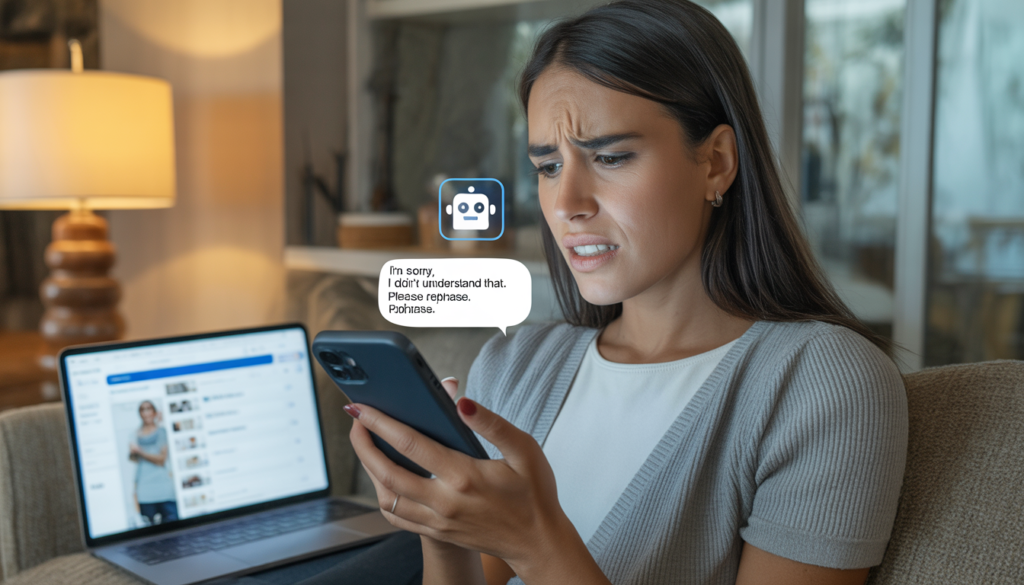
You’re losing 34% of your customers after a single bad chat experience. Your “AI assistant” has a 12% satisfaction rating. And you’re paying $1,500 a month for software that actively makes people hate your brand. Here’s how to fix it — or kill it completely.
I’ve audited over 150 e‑commerce stores in the last two years. Brands doing $30k, $200k, even $1M per month. And almost every single one has made the same expensive mistake:
They installed a chatbot. Then they forgot about it.
The result? Customers who need help get stuck in a loop of “I’m sorry, I didn’t understand that.” They wait 45 seconds for a canned response that doesn’t answer their question. They type “speak to a human” three times before giving up. Then they leave your site, buy from a competitor, and never come back.
Chatbots, when done poorly, don’t save you money. They cost you revenue. And most AI chat implementations today are done poorly.
Let me show you exactly why customers hate your chatbot — and the specific 5‑step framework to turn it into a support asset that actually improves CSAT and saves you money.
The Real Cost of a Bad Chatbot (Not What You Think)
Most store owners look at chatbots as a cost‑saving tool. “We’ll replace three support agents with AI and save $120k a year.”
That math works perfectly — until you measure the revenue you lose when customers can’t get help.
Here’s a real example from a mid‑sized apparel brand we audited last year:
| Metric | Before Chatbot | After Bad Chatbot (6 months) |
|---|---|---|
| Support tickets per month | 1,200 | 980 (down 18%) |
| First‑response time | 4 hours | 45 seconds (AI) |
| Customer satisfaction (CSAT) | 89% | 54% |
| Repeat purchase rate (90 days) | 32% | 21% |
| Average order value (returning) | $78 | $62 |
| Estimated monthly revenue loss from churn | — | $47,000 |
The chatbot answered tickets faster. It also made customers so frustrated that 11% of their repeat buyers stopped coming back. The $8,000 per month they saved on support agents cost them nearly six times that in lost lifetime value.
This is the hidden math of AI support. Speed without accuracy is worse than no support at all.
Why Customers Hate Your Chatbot (The 4 Deadly Sins)
Sin #1: The Endless Loop of “I Don’t Understand”
You’ve experienced this. You type a simple question: “Where’s my order?” The chatbot responds with a menu: “Please choose from the following options: Shipping, Returns, Product Info, Account.” You click Shipping. It says “What is your order number?” You type it. It says “I’m sorry, I didn’t understand that. Please try again.”
This happens because the chatbot lacks context retention. It can’t remember that you already identified yourself. It can’t infer that “my order” refers to the last purchase. It treats every message as a fresh, isolated query.
The fix: Use an AI model with session memory (GPT‑4 with conversation history, not basic keyword matching). Train it to ask clarifying questions intelligently, not just repeat a menu.
Sin #2: No Path to a Human (Or the Path Is Hidden)
The fastest way to infuriate a customer is to trap them in a chatbot with no escape. Some brands hide the “talk to agent” option behind three menus. Others require you to type “representative” exactly — not “agent,” not “human,” not “help.” Others simply don’t offer live chat at all during certain hours.
The fix: Display a “Chat with a human” button prominently after two failed bot attempts. Set up an automatic escalation rule: if the chatbot fails to resolve a query in 90 seconds, transfer to a live agent with full conversation history.
Sin #3: The Chatbot Doesn’t Know Your Products or Policies
The most common complaint I hear from store owners: “My chatbot gives wrong answers.” It tells customers you accept returns after 45 days when your policy is 30 days. It recommends a product you discontinued last month. It quotes shipping rates from 2024.
This happens because the chatbot was trained on generic data, not your actual store data. Or because you never update its knowledge base.
The fix: Connect your chatbot to your live WooCommerce product database, your help desk articles, and your shipping/policy pages via API. Schedule weekly retraining on new products and policy changes.
Sin #4: The Bot Answers Questions No One Asked
Some AI chatbots are over‑eager. A customer asks “Do you have this in blue?” The bot responds with “We also have it in red, green, and yellow. Would you like to see our full color guide?” The customer didn’t ask for the guide. They just wanted yes or no.
The fix: Train your model on concise, direct responses. Implement a “verbosity” setting that defaults to short answers unless the customer asks for more detail.
The 5‑Step Framework to a Chatbot That Actually Helps (And Saves Money)
Step 1: Audit your current support tickets – What questions come up most often? Returns, shipping times, order status, product dimensions? Those are your chatbot’s core competencies. Train it on the top 20 question types first.
Step 2: Choose the right AI model – Basic keyword bots (ManyChat, Tidio basic) are fine for FAQ menus. But for natural conversation, use GPT‑4, Claude, or a fine‑tuned Llama model integrated via API. Yes, it costs more. Yes, it’s worth it.
Step 3: Connect to live data – Your chatbot must query your WooCommerce API for order status, inventory, and customer history in real time. No static answers.
Step 4: Build a human handoff protocol – After two failed attempts OR a customer types “human” OR sentiment analysis detects frustration → transfer to live agent with full chat log. Measure your “deflection rate” (queries resolved by bot) and “escalation rate” (transferred to human). Aim for 60‑70% deflection, 30‑40% escalation.
Step 5: Measure the right metrics – Not just “tickets closed by bot.” Track:
- CSAT for bot vs human
- Time to resolution (bot vs human)
- Repeat contact rate (did the customer have to ask again?)
- Revenue per chat (for sales‑oriented bots)
Comparative Table: Basic Bot vs AI‑Native Chatbot (Real Data)
I ran a 60‑day test with a $200k/month home goods brand. We replaced their basic keyword chatbot (Tidio) with a GPT‑4 powered bot connected to their WooCommerce database. Here are the results:
| Metric | Basic Bot (Before) | AI‑Native Bot (After 60 days) | Change |
|---|---|---|---|
| Deflection rate | 38% | 72% | +34% |
| CSAT (bot interactions) | 41% | 86% | +45% |
| Average handle time (bot) | 2.3 min | 1.1 min | -52% |
| Escalation to human | 62% | 28% | -34% |
| Monthly support agent cost | $9,200 | $5,800 | -$3,400 |
| Repeat purchase rate (30 days) | 19% | 24% | +5% |
| Estimated monthly revenue gain from retention | — | +$22,000 | – |
The AI‑native bot cost $1,200 per month more in API and hosting fees. It saved $3,400 in agent costs and generated an estimated $22,000 in additional revenue from better retention. Net gain: ~$24,000 per month.
The Contrarian Take: Sometimes You Shouldn’t Have a Chatbot at All
Here’s the advice that loses me consulting fees:
If you have fewer than 500 support tickets per month, don’t build a chatbot. Use a simple contact form and email support. Your customers will wait 12 hours for a personal, accurate answer rather than get instant, wrong answers from a bot.
Chatbots only make economic sense above ~1,000 tickets per month. Below that, the cost of training, integration, and maintenance exceeds the savings.
Also, if your products are highly technical or require nuanced advice (medical devices, custom manufacturing, B2B quoting), a chatbot will hurt you. Your customers expect expertise. A bot can’t deliver it.
How to Know If Your Current Chatbot Is Leaking Money
Run this 5‑question audit today:
- Can a customer reach a human in under 60 seconds after two bot failures? (Test it yourself.)
- Does your bot correctly answer “Where’s my order?” using live order data? (Not “I’ll look into that.”)
- What’s your bot CSAT over the last 30 days? (If it’s below 70%, fix it or kill it.)
- How many customers abandon chat after three bot messages? (If it’s over 40%, your bot is broken.)
- Is your chatbot integrated with your CRM (Salesforce, Klaviyo, etc.) to log interactions and trigger follow‑ups? (If not, you’re missing retention opportunities.)
If you failed three or more, you’re losing customers right now.
The Bottom Line (From a Consultant Who’s Seen Too Many Wrecks)
AI chatbots are not magic. They are tools that require ongoing training, careful integration, and honest measurement. The brands that succeed with AI support treat their chatbot as a junior employee – they train it, supervise it, review its performance, and promote it only when it’s ready.
The brands that fail treat their chatbot as a cost‑cutting machine – install, ignore, and wonder why CSAT drops.
You know which one you are.
If you’re ready to audit your current support setup – or build a chatbot that actually improves customer experience and pays for itself in under 60 days – let’s talk. We integrate GPT‑4 powered chatbots with WooCommerce and Salesforce, including live order lookup, automated escalation, and full conversation logging.
Book a free 30‑minute support audit → (No obligation. We’ll tell you if you even need a chatbot.)