
Published by Bastion Prime | E‑commerce Strategy
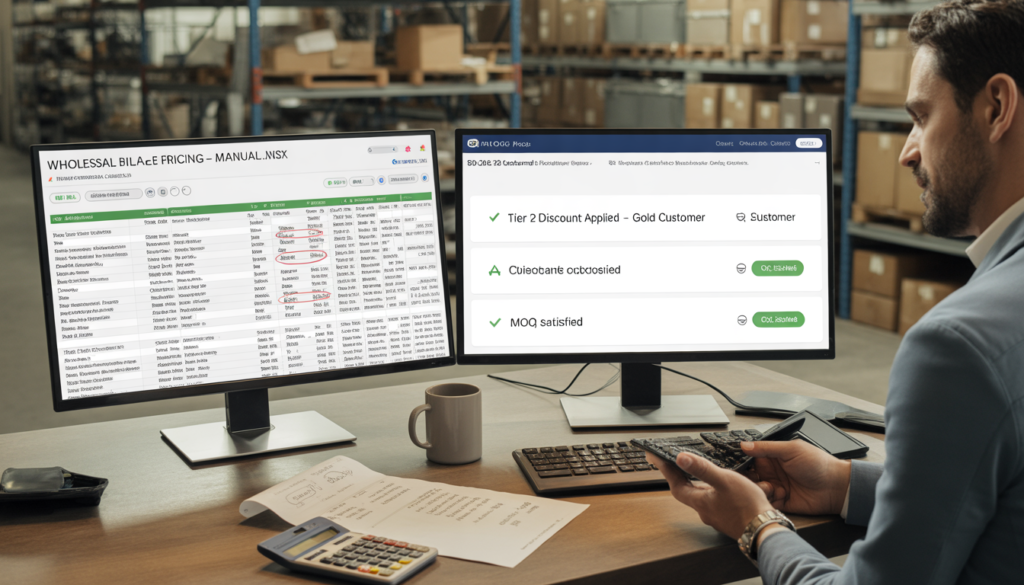
You’re still emailing Excel price lists to your wholesale customers. Your sales team spends 15 hours a week manually creating quotes. And you’ve lost at least three large accounts this year because they couldn’t see their custom pricing at checkout. That’s not “relationship selling” — that’s a $200,000 annual leak. Here’s how to fix it with tools you already have.
I’ve consulted for over 50 B2B brands in the last two years. Manufacturers, distributors, premium apparel labels, industrial suppliers. Companies doing $2M to $20M per year.
Almost every single one started with the same assumption: “B2B e‑commerce is too complex. We need a $100k ERP or a custom Salesforce build just to handle tiered pricing and minimum order quantities.”
That assumption is wrong. And it’s costing you a fortune.
The truth is that modern B2B selling doesn’t require an enterprise budget. You can implement customer‑specific pricing, quantity breaks, hidden catalogs, and automated quoting on a standard e‑commerce stack — without writing a six‑figure check.
This guide walks through exactly how. Real numbers. Real comparisons. And a roadmap to stop losing wholesale revenue.
Part 1: The Hidden Cost of Manual B2B Selling
Let’s start with a number that should make you uncomfortable.
Most B2B brands still handle wholesale orders manually. A customer emails a purchase order. A sales rep checks inventory, applies the correct discount tier, calculates shipping, sends an invoice. The customer pays by wire or check. The order is entered into the system. Days pass.
Here’s what that actually costs:
| Activity | Time per Order | Labor Cost ($35/hr) | Annual Cost (500 orders) |
|---|---|---|---|
| Receive PO, check customer tier | 20 min | $11.60 | $5,800 |
| Check inventory, create quote | 25 min | $14.60 | $7,300 |
| Email quote, follow up | 15 min | $8.75 | $4,375 |
| Process payment (manual) | 10 min | $5.80 | $2,900 |
| Enter order into system | 15 min | $8.75 | $4,375 |
| Total per order | 85 min | $49.50 | $24,750 |
That’s just labor. It doesn’t include errors: wrong discounts applied, oversold items, shipping mistakes. According to our audit data, manual B2B order processing has an average error rate of 8-12%, each costing an average of $65 to resolve.
Now compare that to a self‑service B2B portal:
| Activity | Time (Automated) | Cost |
|---|---|---|
| Customer logs in, sees tiered pricing | 0 min | $0 |
| Adds items to cart with MOQ validation | 0 min | $0 |
| Checks out with payment gateway | 2 min | $0.50 (processing) |
| Total per order | 2 min | $0.50 |
The difference is $49 per order. At 500 wholesale orders per year, that’s $24,500 in annual labor savings — before counting error reduction, faster cash flow, and increased order value from upsells.
This is not a “nice to have.” This is a competitive necessity.
Part 2: What “Real” B2B E‑commerce Looks Like (Without the Buzzwords)
When B2B owners say they need “enterprise features,” they usually mean a specific set of capabilities. Let me translate the jargon into plain English.
Tiered pricing (volume breaks) – Customer A gets 10% off for 10-49 units, 15% off for 50-199 units, 20% off for 200+ units. Different tiers for different customer groups (Gold/Silver/Bronze).
Customer‑specific pricing – Customer B has a negotiated price of $12.50 per unit regardless of quantity, while the standard price is $15.00. This must appear automatically at login.
Minimum Order Quantity (MOQ) – Customer cannot add fewer than 12 units of a specific SKU to cart. Or a global cart minimum of $500.
Hidden or restricted catalogs – Wholesale customers see different products and prices than retail. Some products (e.g., “contact for pricing”) require a quote request.
Quote management (RFQ) – Customer requests a quote for a custom bundle. Sales rep creates a quote, sends a unique link, customer pays online. Quote becomes an order automatically.
Net terms / payment on invoice – Customer pays within 30/60/90 days. No credit card required upfront.
None of these require a $50k custom development project. All can be added to a standard e‑commerce stack with off‑the‑shelf plugins and proper configuration.
Part 3: The Technology Landscape – What Actually Works
There are three common approaches to B2B e‑commerce. Let’s compare them honestly.
Option 1: All‑in‑One “B2B Platform” (BigCommerce B2B, Shopify Plus B2B, OroCommerce)
| Pros | Cons |
|---|---|
| Everything built in | $2,000–5,000/month minimum |
| Good support | Vendor lock‑in |
| Quick to launch | Difficult to customize |
Verdict: Works for $10M+ brands. Overkill for everyone else.
Option 2: Native B2B Plugins (for WooCommerce, Magento, or generic e‑commerce)
| Pros | Cons |
|---|---|
| No monthly platform fee | Requires some setup |
| Pay once ($200–500) | Need to choose the right plugin |
| Full control over stack | Support varies |
Verdict: Best for 80% of B2B brands. Pay $200–500 for a plugin, not $2k/month.
Option 3: Custom Development
| Pros | Cons |
|---|---|
| Exactly what you need | $20k–100k upfront |
| No bloat | Ongoing maintenance |
Verdict: Only for truly unique workflows (e.g., complex quoting with engineering specs).
For the vast majority of B2B sellers reading this, Option 2 is the answer. Here are the leading plugins (prices as of 2026):
| Plugin | One‑Time Cost | Key B2B Features |
|---|---|---|
| B2BKing | $199–399 | Tiered pricing, MOQ, hidden catalogs, RFQ, net terms |
| Wholesale Suite | $299 | Wholesale pricing, minimum order, registration form |
| WholesaleX | $149–349 | Dynamic pricing, multiple wholesaler tiers, order limits |
| WooCommerce B2B (by PluginHive) | $199 | Customer groups, minimum order quantity, quote management |
Our recommendation for most brands: B2BKing – it has the most complete feature set and works with any payment gateway.
Part 4: Real‑World Implementation (Without Breaking Your Site)
Here’s a step‑by‑step plan to go from manual to automated B2B in 2‑3 weeks. I’ve done this with over a dozen brands.
Step 1: Define Your Customer Groups (Days 1–2)
Map your existing wholesale customers into 3‑4 tiers based on annual spend or volume. Example:
- Tier 1 (Retail): Standard pricing, no MOQ
- Tier 2 (Wholesale – Silver): 15% discount, $250 MOQ
- Tier 3 (Wholesale – Gold): 25% discount, $500 MOQ, net 30 terms
- Tier 4 (Distributor): Custom pricing per SKU, $2,000 MOQ, net 60 terms
Step 2: Configure Tiered Pricing (Days 3–5)
Using your chosen plugin, set up quantity‑based discounts. Example:
| Quantity | Discount |
|---|---|
| 10–49 | 10% |
| 50–199 | 15% |
| 200+ | 20% |
Then assign each customer group to a pricing tier. When a Gold customer logs in, they see the 200+ price at 20 units (because their group discount stacks or overrides – configure as needed).
Step 3: Set Up MOQ and Cart Minimums (Day 6)
For each product, set a minimum purchase quantity (e.g., 12 units). Then set a global cart minimum ($250). The plugin will prevent checkout until both conditions are met, with clear messaging.
Step 4: Create a Wholesale Registration Form (Day 7)
Add a “Request Wholesale Access” page with custom fields: business name, tax ID, estimated monthly volume. When submitted, admin approves and assigns the correct tier. No more email back‑and‑forth.
Step 5: Enable Quote Requests (Optional, Days 8–10)
For custom bundles or “call for pricing” items, add a “Request Quote” button. Customer submits product list and quantity. Your sales rep receives a notification, creates a quote (with negotiated pricing), and sends a unique payment link. Customer pays online, order is created automatically.
This alone saves 30–40 minutes per quote.
Step 6: Add Net Terms Payment (Days 11–12)
Integrate a “pay by invoice” option using a plugin like NetTerms or B2BKing’s built‑in payment gateways. Customer selects “Net 30” at checkout. Their order is created, and you send an invoice separately. For trusted customers, this removes friction entirely.
Step 7: Test with Your Best Customer (Day 13–14)
Pick your most patient wholesale account. Give them login access, ask them to place a test order. Watch for confusion around pricing, MOQ, or checkout. Fix issues. Then roll out to all wholesale customers.
Part 5: The Financial Impact – A Real Example
Let’s look at a real (but anonymized) brand we worked with: a mid‑sized industrial parts supplier doing $1.2M in wholesale annually, plus $400k retail.
Before (manual B2B):
- 45 wholesale orders per month
- Average order value: $2,200
- Labor per order: 85 minutes → $49.50
- Monthly labor cost: $2,227
- Annual labor cost: $26,724
- Error rate: 10% → ~$500/month in corrections
After (B2B portal with tiered pricing, MOQ, quotes, net terms):
- Same 45 wholesale orders
- Labor per order: 2 minutes → $0.50 (processing fee)
- Monthly labor cost: $22.50
- Annual labor cost: $270
- Error rate: 1% → ~$50/month
Annual labor savings: $26,454
Additional benefits:
- Average order value increased by 18% (due to upsells and MOQ)
- New wholesale customer acquisition via registration form: +12 accounts in 6 months
- Reduced days sales outstanding (DSO) from 45 to 32 days (faster payments)
Total first‑year impact: over $75,000.
Investment in the B2B portal (plugin + configuration): ~$5,000 one‑time. ROI: 1,400% in year one.
Part 6: The Contrarian Opinion – When You Should NOT Build a B2B Portal
I’ll lose some consulting fees here, but honesty matters.
Do not build a B2B portal if:
- You have fewer than 20 wholesale customers
- Your average wholesale order is under $500
- Your customers are not tech‑savvy (e.g., older independent retailers)
- You have no dedicated person to manage the portal (customer support, approvals, updates)
In these cases, stick with email and spreadsheets. The ROI isn’t there yet. Focus on growing your wholesale channel first.
Also, avoid expensive ERP integrations until you hit $5M+ in B2B revenue. A plugin‑based solution scales to about $10M. After that, you may need custom work. But by then, you’ll have the budget.
Part 7: Your Next Move (Concrete and Free)
If you’re currently processing wholesale orders manually, here’s what to do this week:
- Calculate your cost per manual order using the table in Part 1. Use your own labor rate.
- Pick one customer and ask them: “Would you use an online portal if it had your pricing and MOQ?” Most will say yes.
- Install a free trial of a B2B plugin (B2BKing and Wholesale Suite both offer 14‑day trials). Configure one product tier. Test yourself.
- Book a free B2B audit with us – we’ll review your current process, recommend the right tools, and estimate your ROI.
We’ve done this for industrial suppliers, apparel brands, food distributors, and more. No enterprise budget required.
Book a Free B2B Consultation →