
Published by Bastion Prime
There is a moment that defines every D2C brand. Not the moment you launch your store. Not the moment you get your first sale. It’s the moment — usually around order number 200 or 300 — when you realize that your business has grown beyond your ability to manually run it.
Orders are piling up in your WooCommerce dashboard. Your garage is full of inventory. You’re personally printing shipping labels at midnight. Your Salesforce data and your store data live in separate universes that never speak to each other. And somewhere in the middle of all this chaos, a customer is waiting for a package.
This is the moment when logistics stops being a back-office chore and becomes a competitive advantage — or a business-killing bottleneck. Which one it becomes is entirely a function of the decisions you make in the next 90 days.
This guide walks through every decision, in the right order, with the real numbers behind each one.
Stage 0: Understand the Architecture Before You Build It
Before you choose a warehouse or a carrier, you need to understand the three-layer structure of every D2C fulfillment operation. Most sellers skip this mental model and end up with a patchwork of disconnected solutions that create more work than they save.
Layer 1 — The Store (WooCommerce). This is where orders originate. Every customer click, every cart, every payment confirmation happens here. The store needs to talk, in real time, to everything that comes after it.
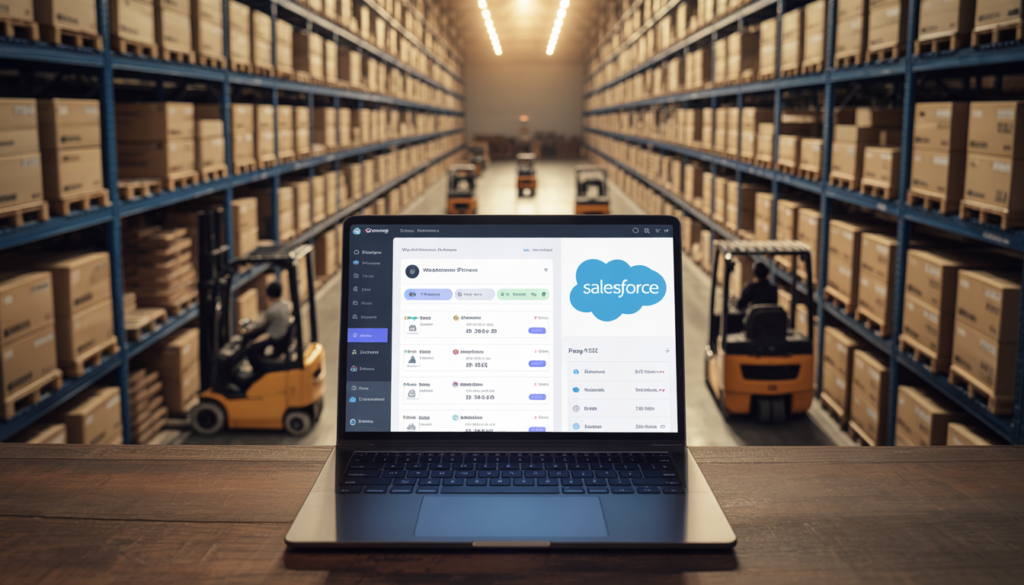
Layer 2 — The Operations Brain (Salesforce CRM). This is where order data, customer profiles, inventory levels, and fulfillment statuses live as business records. When integrated correctly with WooCommerce, Salesforce becomes the central nervous system of your operation — automatically tagging VIP customers, triggering reorder alerts, flagging churn risk, and giving your team a single dashboard that reflects reality.
Layer 3 — The Physical Network (Warehouse + 3PL + Carriers). This is where your products live and move. The warehouse stores your inventory. The 3PL picks, packs, and hands off to a carrier. The carrier completes the last mile to your customer’s door.
The critical insight: these three layers must be integrated. A WooCommerce store that doesn’t automatically sync order data to Salesforce, and a Salesforce that doesn’t automatically trigger your 3PL, is not a system — it’s three separate jobs that a human being has to manually connect every single day. That human is usually you, and that labor is the single biggest drag on the efficiency and scalability of a D2C operation.
Stage 1: Choosing Your Warehouse Strategy
The warehouse decision is about geography first, economics second. Where your inventory sits determines how fast and how cheaply you can reach your customers.
The US has five primary logistics hubs, each serving a different regional population:
| Hub | Region Covered | Key Advantage |
|---|---|---|
| Chicago, IL | Midwest + Central US | Reaches 80% of US population within 2 days by ground |
| Los Angeles, CA | West Coast | Essential for Pacific imports and CA/AZ/NV density |
| Dallas, TX | South-Central | Strong coverage for TX, OK, LA, AR, NM |
| Atlanta, GA | Southeast | Covers FL, GA, SC, NC, TN efficiently |
| Harrisburg, PA | Northeast | Covers NY, NJ, PA, MA, CT, MD |
Single warehouse vs. multi-warehouse: Most early-stage D2C brands start with one warehouse. This simplifies inventory management but means customers on the opposite coast pay more in shipping — or you absorb the cost into your margin.
The math on a single central warehouse (Chicago or Kansas City) is often compelling: reaching 80% of the US population in 2 days by UPS or FedEx Ground means you can offer “2-day delivery” without paying 2-day express rates. This is the same geographic strategy Amazon exploited to build Prime — they positioned inventory centrally to make ground shipping feel like air shipping.
A two-warehouse strategy (typically East Coast + West Coast) reduces average shipping distance by 30–40%, which directly reduces shipping cost and transit time. The tradeoff is split inventory, which requires tighter inventory management and higher minimum stock levels at each location.
Stage 2: Self-Fulfillment vs. 3PL — The Decision Framework
This is the question every growing D2C brand faces. The honest answer depends on your order volume and your cost per hour.
Self-fulfillment makes sense when:
- You ship fewer than 100 orders per month
- Your products require specialized handling no 3PL offers
- Packaging and unboxing experience is a core brand differentiator you can’t outsource
- You have free labor (yourself or a family member)
3PL makes sense when:
- You ship more than 100–150 orders per month consistently
- Your fulfillment labor cost exceeds the 3PL fee per order
- You want to scale without proportional headcount increases
- You’re ready to offer 2-day delivery across the US
Here’s the break-even math for a typical seller:
Self-fulfillment cost breakdown at 200 orders/month:
| Cost Item | Monthly Cost |
|---|---|
| Warehouse/storage space (500 sq ft) | $600–900 |
| Labor: 4 min/order × 200 orders × $20/hr | $267 |
| Packaging materials | $200 |
| Shipping software | $50 |
| Your time managing the operation | Unquantified |
| Total estimated | $1,117–$1,417/mo |
3PL cost breakdown at 200 orders/month:
| Cost Item | Monthly Cost |
|---|---|
| Storage (based on inventory cubic footage) | $90–150 |
| Pick & pack: $3.50 × 200 orders | $700 |
| Receiving fees | $40–80 |
| Platform integration | $30–50 |
| Total estimated | $860–$980/mo |
At 200 orders/month, a quality 3PL is already cheaper than self-fulfillment — and it scales without you hiring anyone. By 500 orders/month, the gap widens significantly.
Stage 3: Choosing a 3PL — What the Sales Decks Don’t Tell You
Every 3PL will tell you they have great technology, fast fulfillment, and competitive rates. Here’s what to actually evaluate:
Integration depth. Your 3PL must have a native, real-time API connection to WooCommerce. Not a CSV upload. Not a manual sync that runs every 4 hours. A live connection where an order placed at 2 PM ships the same day. If they require middleware or manual processes to connect to your stack, you will outgrow the setup within months.
The hidden fee structure. Request a fully itemized quote covering: receiving fees per pallet, storage fees per cubic foot per month, pick & pack per order, special handling charges, returns processing, minimum monthly fees, and seasonal surcharges. The base “per order” rate is only part of the story.
Carrier relationships. A quality 3PL has negotiated volume rates with UPS, FedEx, USPS, and regional carriers that are 20–60% below retail rates. These discounts should be passed through to you, not absorbed as margin. Ask specifically what carrier rates you’ll pay.
Returns handling. Online D2C brands experience return rates of 20–30% vs. 8–10% for physical retail. Your 3PL’s returns process — how fast they inspect, restock, or dispose of returned inventory — directly affects your available inventory levels and your per-unit economics.
A few names worth knowing in the US market for 2026: ShipBob for high-volume DTC brands with multiple warehouse locations; Red Stag Fulfillment for heavy, oversized, or high-value products; ShipMonk for subscription box models; Simpl Fulfillment for early-stage brands under 500 orders/month who need transparent flat-rate pricing.
Stage 4: Carriers and Last-Mile — Where Most of Your Cost Lives
Last-mile delivery accounts for up to 53% of total shipping costs. It’s the most expensive, most visible, and most brand-affecting part of your logistics operation. A package that arrives damaged or three days late doesn’t generate a complaint about UPS — it generates a negative review about your brand.
The US Carrier Landscape:
| Carrier | Best For | Weakness |
|---|---|---|
| UPS Ground | Reliable 2-5 day delivery, strong tracking | Higher cost for lightweight parcels |
| FedEx Ground | Competitive on larger packages | Residential surcharges add up |
| USPS Priority Mail | Best for lightweight parcels under 1 lb | Less predictable transit times |
| USPS First Class | Digital products, small accessories under 16 oz | Slowest; no guaranteed delivery window |
| DHL eCommerce | International and lightweight domestic | Not ideal for time-sensitive domestic |
| Regional carriers (OnTrac, LSO, Spee-Dee) | West/South/Midwest coverage at lower cost | Limited geographic coverage |
Zone-based pricing is the variable that surprises most new D2C sellers. UPS and FedEx charge based on the distance between your warehouse and the delivery address — measured in “zones” from 2 (local) to 8 (coast-to-coast). A 2 lb package shipped Zone 2 (Chicago to Chicago) might cost $8.50. The same package shipped Zone 8 (Chicago to Los Angeles) costs $18–22. This is why warehouse location matters so much: every zone you reduce cuts your average shipping cost.
The carrier diversification strategy: No single carrier is best for every shipment. High-performing D2C brands use rate shopping software that selects the optimal carrier for each individual order based on weight, dimensions, destination density, service level, and negotiated rates. This alone can reduce average shipping cost by 10–18%.
Stage 5: The Automation Layer — Why Manual Is Not a Strategy
Every time a human manually copies an order number from WooCommerce into a spreadsheet, manually updates a Salesforce record, or manually emails a tracking number to a customer — that is a cost, a delay risk, and a potential error. At 50 orders/month, this is manageable. At 500 orders/month, it’s a full-time job. At 2,000 orders/month, it’s a team.
The automation layer eliminates this entirely. Here’s what a fully integrated WooCommerce + Salesforce operation looks like:
Order Placed (T+0 seconds) → WooCommerce creates the order record → Salesforce Sync pushes order data to Salesforce as an Opportunity/Contract object → Customer record is created or updated in Salesforce automatically → 3PL receives the pick-and-pack instruction via API
Order Shipped (T+same day) → 3PL generates tracking number → Tracking data pushes to WooCommerce (order status: Shipped) → Klaviyo triggers the branded shipping notification email to the customer → Salesforce updates the customer record with fulfillment data
Order Delivered (T+2-5 days) → Carrier confirms delivery → Salesforce triggers post-purchase email sequence via Klaviyo → Customer record is tagged with last purchase date, product category, and LTV data → If customer hasn’t reordered in 45 days → automatic Salesforce Task created for win-back campaign
Inventory Intelligence → When 3PL inventory level hits reorder threshold → Salesforce creates automatic alert → If specific SKU sells faster than forecast → inventory report flags for replenishment → Inventory data syncs between 3PL WMS, WooCommerce product listings, and Salesforce in real time
This is not a futuristic scenario. This is what the Salesforce Sync integration at Bastion Prime delivers — a bidirectional data highway between your WooCommerce store and your Salesforce CRM, with custom workflow triggers built for your specific business rules. The brands operating at this level don’t have a logistics team. They have a logistics system.
Stage 6: The Real Cost of a Fully Operational D2C Logistics Stack
Let’s put the complete picture together with actual numbers for a seller doing $30,000/month in revenue at approximately 500 orders/month.
| Component | Monthly Cost | What It Buys You |
|---|---|---|
| WooCommerce hosting (managed) | $35–80 | Fast, reliable store infrastructure |
| 3PL fulfillment (500 orders × $4.50) | $2,250 | Pick, pack, ship — hands-free |
| 3PL storage (200 cubic ft) | $150 | Warehoused inventory |
| Average shipping (500 orders × $7.50) | $3,750 | Last-mile delivery |
| Klaviyo email automation | $45 | Post-purchase, abandoned cart, win-back |
| Salesforce CRM (Essentials) | $75 | Customer records, order data, automation |
| Salesforce ↔ WooCommerce integration | $104 amortized | Bidirectional sync, VIP triggers, churn alerts |
| Rate shopping software | $30 | Carrier optimization per order |
| Total operational cost | $6,439–$6,484 | Complete automated D2C stack |
As a percentage of $30,000 revenue, that’s 21.5% of revenue — covering warehousing, fulfillment, shipping, and the full automation layer. Compare that to a marketplace seller paying 15–20% in platform fees alone, plus the cost of manual labor, plus zero customer data ownership, plus the suspension risk.
The D2C logistics stack costs more upfront to build. It costs far less to operate at scale — and it generates assets (customer data, email lists, brand equity) that compound in value every month.
Stage 7: The Returns Architecture
Returns are not the end of the customer relationship. They are, if handled correctly, one of the highest-leverage touchpoints in D2C.
A customer who has a seamless return experience has a higher lifetime value than a customer who never returned anything — because they now know your process works. A customer who struggles through a return is permanently lost.
The returns stack:
Prepaid return labels via your 3PL or a dedicated returns platform (Returnly, Loop Returns) — the customer experience starts here. Make it easy.
Inspection and restocking SLA — your 3PL should process returns and update inventory within 24–48 hours. Anything slower means you’re carrying dead inventory while showing items as “In Stock.”
Salesforce trigger on return — every return should automatically update the customer record in Salesforce. A customer who returns two consecutive orders is a churn signal. A customer who returns but immediately reorders is a sizing/fit signal worth acting on.
The 20–30% return rate reality — budget for it. Don’t treat it as a failure. Treat it as a cost of doing business and build the handling cost into your unit economics from day one.
The System, Not the Hustle
The D2C logistics stack described in this guide is not a collection of vendors. It’s a system — and the difference between a system and a collection of vendors is integration.
Every element we’ve covered — WooCommerce, Salesforce, your 3PL, your carriers, your email platform — functions independently if disconnected. Connected and integrated, they function as a single machine: an order enters from one end, a delighted customer receives a package at the other, and your CRM gets richer and more valuable with every transaction.
Sellers who operate this machine compete on brand, product, and marketing. They are not competing on their ability to manually print labels and update spreadsheets.
The investment to build this machine — store migration, Salesforce integration, email automation — pays for itself within 2–3 months for sellers at $10,000/month and above. After that, it compounds.
If you’re ready to map out what your specific logistics architecture should look like — warehouse strategy, 3PL selection, Salesforce integration, and the full automation stack — our Store Audit & Strategy Session gives you a written roadmap built around your revenue level, product type, and current infrastructure.
Related reading: