
Published by Bastion Prime | WooCommerce Migration Specialists
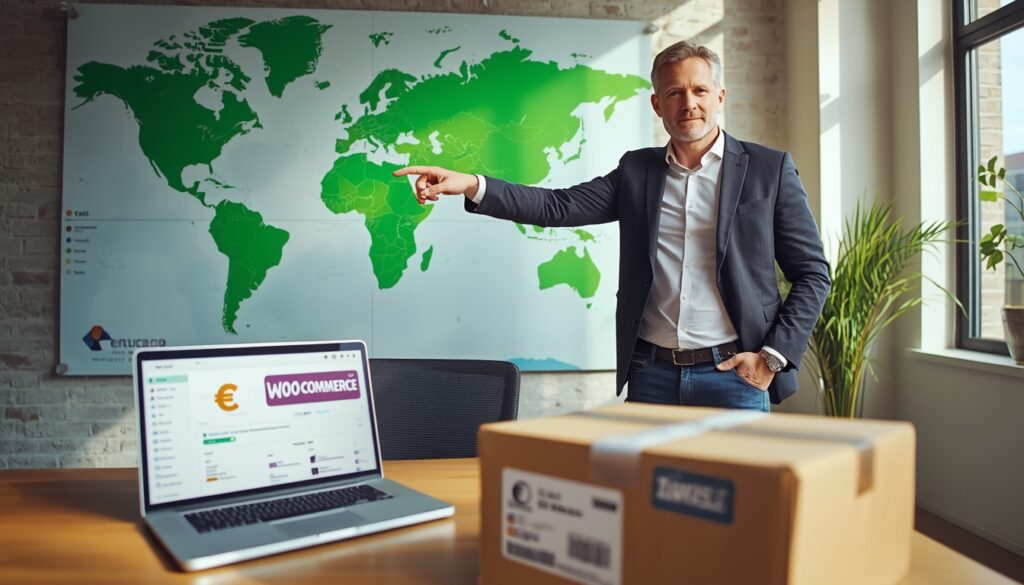
You have 27 different VAT rates, a new €3 customs duty starting July 2026, and zero idea what an “IOSS intermediary” is. Your European expansion is leaking money before you make your first sale — but most US sellers don’t even know it. Here’s how to fix it and double your revenue.
I’ve audited over 60 US-based WooCommerce stores that expanded into Europe in the last 18 months. The ones who did it right saw 40-70% revenue growth within the first year. The ones who did it wrong lost 15-20% of their margins to incorrect VAT setup, abandoned carts at checkout, and customers refusing delivery when surprise customs fees appeared.
Europe is not “just another state” with a different shipping zone. It’s a continent of 27 separate tax jurisdictions, distinct payment cultures, and consumer protection laws that make California look lenient.
But here’s the truth most agencies won’t tell you: Selling to Europe from the US with WooCommerce is completely doable — if you follow the right roadmap.
This guide covers everything: VAT registration (including IOSS and OSS), shipping strategy, localization (language + currency + payments), legal compliance, and a realistic 90‑day launch plan. No fluff. Just the math and the steps.
Part 1: The Real Opportunity (And Why Most US Sellers Ignore It)
Let’s start with a number that should make you pay attention.
The EU has over 445 million consumers — significantly more than the US. Their cross-border e‑commerce market is growing at 12% annually, faster than domestic e‑commerce in most EU countries. Yet less than 15% of US-based online stores actively sell into Europe.
Why? Fear of complexity.
VAT seems intimidating. Shipping seems expensive. Language barriers feel insurmountable. But here’s what I’ve learned from the brands that succeed: the complexity is front-loaded. Invest 4-6 weeks in getting the setup right, and Europe becomes a self‑sustaining revenue stream that often outperforms your domestic business.
| Metric | US Domestic | EU Cross-Border (from US) |
|---|---|---|
| Average order value (AOV) | $75 | €85-120 (higher willingness to pay for imported goods) |
| Customer acquisition cost (CAC) | $18-25 | €12-20 (less ad competition in many EU markets) |
| Repeat purchase rate (90 days) | 20-25% | 28-35% (higher loyalty to specialized international brands) |
| Return rate | 15-20% | 8-12% (EU consumers research more before buying) |
The numbers don’t lie: European customers often buy less frequently but spend more per order and return less. If you sell premium, niche, or specialty products, Europe is your best expansion opportunity.
Part 2: VAT — The Most Confusing Part (Made Simple)
Let’s demystify VAT. You’ll hear terms like OSS, IOSS, fiscal representative, EORI, and VAT thresholds. Here’s what you actually need to know.
What Triggers VAT Obligations for a US Seller?
According to EU VAT compliance experts, US sellers trigger VAT obligations when they: store goods in an EU Member State, import goods into the EU and sell locally, or use multi‑country fulfillment where stock moves across borders.
The good news is that for most US-based DTC brands shipping directly from the US to EU customers (without holding inventory in Europe), your VAT obligation is simpler.
The €10,000 Threshold and OSS
For B2C cross‑border sales into the EU, there’s an EU‑wide distance selling threshold of €10,000. Below this amount, you can charge VAT based on your own country’s rules (but since you’re outside the EU, the rules differ). Above this threshold, you must register for VAT in at least one EU country and use the OSS (One‑Stop Shop) to report VAT for all EU sales.
What is OSS? Any business can register for OSS to simplify VAT reporting for intra‑EU B2C distance sales. Instead of registering for VAT in every EU country you sell to, you register in one country (often Germany, France, or the Netherlands), charge VAT based on the customer’s country, file one quarterly return, and the OSS system distributes the tax to the correct countries.
How OSS works for US sellers: Non‑EU businesses can register for OSS, but you must appoint an EU‑based fiscal representative who is jointly liable for your VAT. Countries like France, Italy, and Spain strictly require this.
IOSS (Import One‑Stop Shop) — Critical for Low‑Value Shipments
For orders valued at €150 or less (excluding VAT and shipping), IOSS is your best friend.
IOSS allows you to collect VAT at checkout instead of your customer paying it upon delivery — which eliminates surprise fees and dramatically reduces cart abandonment. Without IOSS, your customer gets a bill from the carrier for VAT plus handling fees, and according to industry data, about 23% of orders are abandoned when this happens.
The catch: Only EU‑established businesses can register directly for IOSS. Non‑EU sellers (including US companies) must appoint an authorized IOSS intermediary to access the scheme legally.
How IOSS works in practice:
- Your WooCommerce store displays the final landed cost including VAT
- VAT is collected at checkout based on the buyer’s EU country
- Your IOSS number is provided to your shipping partner for customs clearance
- You file a single monthly VAT return (your intermediary handles this)
- The customer receives the package with no surprise fees
The EAS WooCommerce IOSS plugin automates this entire process, including VAT calculation, monthly filings, and compliance, for a flat monthly fee.
The New €3 Customs Duty — Coming July 2026
This is important. Beginning July 1, 2026, the EU will introduce a fixed customs duty of €3 on most low‑value parcels entering the EU from outside, even those valued under €150. Previously, these small imports were generally duty‑free. The new duty applies to goods shipped through the IOSS system, which accounts for about 93% of all e‑commerce parcel flows into the EU.
What this means for you: Budget an additional €3 per shipment when calculating your margins for EU orders starting July 2026. For high‑volume, low‑margin products, this can materially impact profitability.
VAT Rates by Country — Quick Reference
| Country | Standard VAT Rate | Reduced Rate | Notes |
|---|---|---|---|
| Germany | 19% | 7% (food, books) | Most common registration country |
| France | 20% | 5.5-10% | Requires fiscal representative |
| Italy | 22% | 5-10% | Requires fiscal representative |
| Spain | 21% | 10% | Requires fiscal representative |
| Netherlands | 21% | 9% | Easier registration |
| Sweden | 25% | 6-12% | Highest standard rate |
| Poland | 23% | 5-8% | Fast‑growing market |
For a complete current list, always refer to the European Commission’s official VAT rates.
How to Configure VAT in WooCommerce (Step by Step)
Once you have your VAT registration and OSS/IOSS setup, configuring WooCommerce is straightforward.
- Enable tax rates and calculations: Go to WooCommerce → Settings → General. Check “Enable tax rates and calculations”.
- Set tax options: WooCommerce → Settings → Tax → Tax Options. Set “Prices entered with tax” to “No, I will enter prices exclusive of tax”. Choose “Calculate tax based on” → “Customer shipping address”.
- Add country‑specific tax rates: Go to Standard Rates and add rows for each EU country you sell to:
| Country Code | Rate % | Tax Name |
|---|---|---|
| DE | 19 | MwSt |
| FR | 20 | TVA |
| IT | 22 | IVA |
| ES | 21 | IVA |
| NL | 21 | BTW |
- Install a VAT validation plugin for B2B sales. The European VAT Validator plugin provides real‑time VIES validation and OSS support.
For automated VAT handling, consider a dedicated EU compliance plugin. Options include Teamwant VIES VAT for WooCommerce (free, basic VIES validation), YITH WooCommerce EU VAT OSS & IOSS Premium (comprehensive), or the EAS WooCommerce IOSS plugin (full automation for non‑EU sellers).
Part 3: Shipping to Europe — Cost, Speed, and Customer Expectations
European customers expect reasonable shipping times (3-7 business days) and transparent tracking. Here’s how to deliver that without destroying your margins.
Carrier Options and Real‑Time Rates
The most efficient way to manage international shipping in WooCommerce is with a multi‑carrier plugin that pulls real‑time rates. Calcurates leads the market, integrating with DHL, FedEx, UPS, and USPS to display live rates at checkout based on package dimensions and destination.
| Carrier | Avg. Cost (1lb to Germany) | Delivery Time | Best For |
|---|---|---|---|
| USPS Priority International | $25-35 | 6-10 days | Smaller packages, budget‑conscious |
| UPS Worldwide Saver | $35-50 | 2-4 days | Speed, tracking |
| FedEx International Economy | $30-45 | 3-5 days | Balance of speed and cost |
| DHL Express | $40-60 | 1-3 days | Premium experience, high AOV |
| Asendia / Passport | $15-25 | 5-12 days | Low‑cost, slower delivery |
Pro tip: Offer two shipping options — a slower economy option ($10-20) and an express option ($30-50). This reduces cart abandonment while letting customers self‑select their preference.
Duties and Taxes — DDP vs. DDU
This is where most US sellers mess up.
- DDU (Delivered Duty Unpaid): Customer pays VAT and duties upon delivery. Expect 20-30% cart abandonment when the surprise bill arrives.
- DDP (Delivered Duty Paid): You collect VAT at checkout (via IOSS) and handle customs. Higher upfront work, dramatically better customer experience.
Recommendation: Use DDP with IOSS for orders under €150. For orders over €150, clearly communicate “import duties may apply” at checkout and provide an estimate.
Your shipping plugin should support DDP/DDP calculations. Calcurates and ShipperHQ both offer duties & taxes calculation features.
Packaging and Customs Documentation
For every international shipment, you need accurate customs documentation. Your shipping plugin should automatically generate:
- Commercial invoice (3 copies)
- CN22/CN23 customs declaration (for smaller packages)
- HS tariff codes (classify each product — your plugin can help)
Free resource: Your carrier’s API (via your shipping plugin) will auto‑populate most customs fields based on your product data. Just ensure every product has a weight, dimensions, and HS code.
Shipping Cost Comparison Table — Real Example
Let’s say you sell a 0.5 kg (1.1 lb) product for $50 from California to Germany. Here’s how different shipping strategies affect your landed cost and customer experience:
| Shipping Method | Carrier Cost | VAT (19%) | €3 Duty (after July 2026) | Total Cost to Customer | Customer Experience |
|---|---|---|---|---|---|
| Economy (DDU) | $18 | Collected at delivery | $3 | $21 surprise | ❌ Abandonment risk |
| Economy (DDP with IOSS) | $18 | $9.50 at checkout | $3 (passed through) | $30.50 clear | ✅ Good |
| Express (DDU) | $35 | Collected at delivery | $3 | $38 surprise | ❌ Higher abandonment |
| Express (DDP with IOSS) | $35 | $9.50 at checkout | $3 | $47.50 clear | ✅ Excellent for premium |
For a $200 order: No IOSS eligibility (over €150 threshold). VAT (~€38) will be collected at delivery unless you have a local VAT registration. Communicate this clearly at checkout.
Part 4: Localization — Language, Currency, and Payment Methods
Here’s a stat that should keep you up at night: 73% of consumers prefer buying in their native language, and 60% rarely or never buy from English‑only websites.
Multilingual Store Setup
Translating your WooCommerce store isn’t optional for serious EU expansion. It’s table stakes.
| Plugin | Best For | Key Feature | Price |
|---|---|---|---|
| WPML | Large catalogs (500+ products) | Multilingual SEO, hreflang tags, AI translation | Paid (after free multicurrency) |
| TranslatePress | Ease of use, visual translation | 42% faster EU conversions reported, AI integration | Paid |
| Weglot | Automated translation, no coding | 10+ language packs, 25‑70% sales increase | Paid |
A UK‑based home goods brand launched French and German versions of their WooCommerce store using TranslatePress and saw a 42% boost in conversions from EU markets within three months — not just from translation but from localization (localized pricing, culturally relevant imagery, and region‑specific SEO).
Quick implementation guide:
- Install your chosen multilingual plugin
- Set default language (English)
- Add French, German, Italian, Spanish (start with 2‑3, expand later)
- Use AI/machine translation for initial pass
- Manually review product descriptions, CTAs, and legal pages
- Configure hreflang tags (your plugin does this automatically)
- Submit multilingual sitemap to Google Search Console
Multi‑Currency Display
Show prices in euros — and optionally in local currencies (British pounds, Swiss francs, etc.). The free WPML Multilingual & Multicurrency for WooCommerce plugin handles this elegantly: automatic exchange rates, currency switcher, and location‑based currency detection.
Payment Methods European Customers Expect
Offering familiar payment methods is one of the fastest ways to increase conversion. Stripe and PayPal cover the basics, but European customers expect local options.
| Country | Must‑Have Payment Method |
|---|---|
| Germany | SEPA Direct Debit, PayPal, Klarna |
| Netherlands | iDEAL (80%+ market share) |
| Belgium | Bancontact |
| Poland | Przelewy24, BLIK |
| France | Cartes Bancaires |
| Austria | EPS, Klarna |
| Sweden | Swish, Klarna |
The Mollie Payments for WooCommerce plugin supports all these local methods with a single integration — no separate contracts or monthly fees.
How to accept SEPA Direct Debit: SEPA is a euro‑denominated bank transfer system covering 36 European countries. It’s expected by German customers and works well for subscriptions. Enable SEPA through Stripe (Settings → Payments → SEPA Direct Debit) or use the Mollie plugin.
Part 5: Legal Compliance — EPR, Consumer Rights, and GDPR
Three compliance areas that can get you fined or banned from European marketplaces if ignored.
Extended Producer Responsibility (EPR)
EPR requires you to register for packaging recycling in every EU country where you sell. France and Germany require EPR registration numbers before you can sell — marketplaces like Amazon actively enforce this and can block listings for non‑compliance.
How to comply:
- Register with a compliance scheme in each country (e.g., CITEO in France, Zentek in Germany)
- Report packaging volumes by material
- Pay eco‑contributions annually
- Display your EPR identifier on invoices (in some countries)
14‑Day Right of Withdrawal (Returns)
EU law gives consumers the right to cancel any online purchase within 14 days of receipt, no questions asked. You must:
- Clearly state this right on your checkout page
- Provide a withdrawal form template
- Refund within 14 days of return (including standard shipping)
This is non‑negotiable. You can choose to absorb returns (build it into pricing) or pass return shipping costs to the customer, but you cannot opt out.
GDPR Compliance
If you collect any EU customer data (emails, addresses, analytics), you need GDPR basics:
- Cookie consent banner (CookieYes, Complianz)
- Privacy policy with data processing details
- “Right to be forgotten” process for data deletion requests
- Secure data storage (your hosting provider can advise)
Part 6: 90‑Day Launch Roadmap for US Sellers
Here’s a realistic timeline for expanding to Europe without burning out.
| Weeks | Tasks | Priority |
|---|---|---|
| 1-2 | Register for IOSS (via intermediary), apply for EORI, choose OSS registration country, appoint fiscal representative if required | 🔴 High |
| 3-4 | Configure WooCommerce VAT rules, install multilingual plugin, set up multi‑currency, test checkout for 3 target countries | 🔴 High |
| 5-6 | Set up multi‑carrier shipping with DDP (DHL/UPS/FedEx), create shipping zones, configure customs documentation automation | 🟡 Medium |
| 7-8 | Add local payment methods (Mollie or Stripe), enable SEPA for Germany, test each payment flow | 🟡 Medium |
| 9-10 | Translate key product pages (start with top 20% of SKUs), localize checkout, add EU legal pages (withdrawal form, privacy policy) | 🟡 Medium |
| 11-12 | Launch to first country (start with Germany), run small ad test ($500‑1,000), monitor VAT and shipping, expand to France/Netherlands in month 4 | 🟢 Ongoing |
Start with one country. Germany is the best entry point — largest e‑commerce market in Europe, straightforward VAT (19% standard rate), and customers accustomed to international ordering. After 90 days of German sales, expand to France, then the Netherlands, then Italy/Spain.
The Math That Makes It Worth It
Let’s run the numbers for a US‑based WooCommerce store at $50k/month domestic, expanding to Europe over 6 months.
| Metric | Before EU | After EU (6 months) |
|---|---|---|
| Monthly revenue | $50,000 | $75,000 |
| Additional revenue from EU | — | $25,000 |
| VAT collected (passed through) | — | $4,750 |
| Additional shipping cost | — | $3,500 |
| IOSS intermediary fee | — | $200 |
| Additional software (multilingual, shipping) | — | $150 |
| Net additional monthly profit | — | $16,400 |
First‑year ROI on your 4‑week setup investment: 800-1200% depending on your niche. The setup costs ($3‑5k in software, intermediary fees, and your time) pay for themselves in the first 2‑3 months of EU sales.
The Bottom Line
Europe is not a “nice to have” expansion — it’s the largest e‑commerce market outside the US, with less competition and higher customer loyalty. The complexity is real, but it’s manageable with the right roadmap.
If you’re already doing $30k+/month in the US, you have the operational maturity to handle Europe. The question isn’t “can you afford to expand?” — it’s “can you afford not to while your competitors already are?”
If you want a personalized assessment of your EU expansion potential — including VAT registration guidance, shipping strategy, and a 90‑day launch plan tailored to your products — book a Store Audit & Strategy Session ($197, credited toward any package). We’ll walk through your specific numbers and build your roadmap.
Also check out our related resources: