
Published by Bastion Prime | Edited by Heorhi Tratsiak, CEO
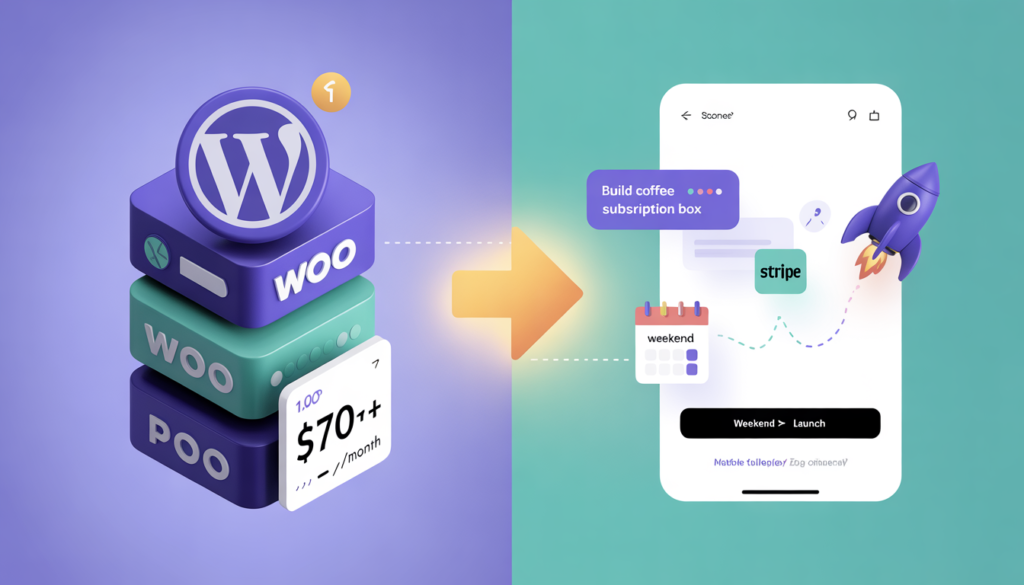
You have an idea for a subscription box – organic coffee delivery, monthly wellness kits, curated craft beer. You search for tools. WooCommerce needs hosting, plugins, and weeks of fiddling. Shopify wants a monthly fee before you’ve made a single sale. You’re not a developer. You don’t want to learn PHP. But you’re not a beginner either. You want something that looks custom, works reliably, and actually charges customers. Here’s how I built a fully working subscription box site with recurring payments in one weekend using Lovable – without writing a single line of code.
I’ve built e‑commerce stores the hard way. I’ve wrestled with WordPress plugins, debugged Stripe webhooks at 2 AM, and paid for subscriptions I never needed. But this time was different. I needed to validate a new subscription idea fast.
Instead of spending weeks on setup, I tried Lovable – an AI‑powered platform that turns natural language prompts into full‑stack applications. You describe what you want in plain English, and Lovable generates the frontend, backend, database, and payment integration. Behind the scenes, it uses Supabase for authentication and databases, Stripe Connect for payments, and React for the frontend. The AI handles everything from database tables to checkout flows.
The result? A complete subscription box website – plan selection pages, Stripe checkout, member dashboard, and automated email receipts – running in about 16 hours of real work across a single weekend. The entire project cost less than $60 in AI credits and Stripe fees.
Below is the exact process. These are the prompts I used, the mistakes I made, and the system that now collects recurring revenue while I sleep.
Why Lovable for a Subscription Box (And Not WooCommerce)
Subscription checkout requires more than a simple cart. You need authentication (users must log in), payment on file (Stripe saves the card), and subscription management (upgrades, downgrades, cancellations). Traditional WooCommerce can do all of this with the WooCommerce Subscriptions extension, but that requires a WordPress site, managed hosting, plugin updates, security patches, and significant setup time. Lovable collapses that stack. You tell it what you want, and it builds the entire system.
Here is a side‑by‑side comparison of building a subscription box store on Lovable versus WooCommerce:
Lovable reduces the time to launch a subscription box from weeks to days. But it is not a complete e‑commerce platform for huge catalogs. It excels at the subscription model because Stripe and Supabase are built into the foundation, not patched on top.
Step 1: The Idea – What Are We Building?
Before writing a single prompt, I mapped out exactly what the subscription box needed to do. Vague prompts produce vague results.
My requirements were simple. First, a landing page that explains the subscription – what it includes, how often it ships, and a clear call‑to‑action. Second, three subscription plans (monthly, quarterly, annual) with different price points. Third, a member dashboard where customers can log in, view their subscription status, and cancel or upgrade. Fourth, Stripe payment processing that securely saves payment methods and charges automatically each billing cycle. Fifth, automated emails for sign‑up confirmation, upcoming renewal, and payment failure.
Lovable can generate all of this from a single conversation, but breaking it into steps kept me organized.
Step 2: The First Prompt – Landing Page and Product Display
I started a new Lovable project and typed this prompt:
*“Create a subscription box landing page for a coffee delivery service. The page should include: a hero section with title ‘Fresh Roast – Coffee Delivered Monthly’, a short explanation of how it works (three steps), three subscription plan cards – Basic (19/month),Premium (34/month), Family ($59/month) – each with a ‘Subscribe Now’ button, and a simple FAQ section. Use Tailwind CSS, clean modern design, and make it responsive for mobile.”*
Within minutes, Lovable generated a complete page with all three plan cards, images, and a functional layout. The design was not perfect, but the structure was solid.
Then I refined it with follow‑up prompts: “Change the button color to dark green on all plan cards” and “Add a testimonial section below the FAQ with three placeholder testimonials.” Each change took seconds, consumed one credit, and was applied instantly.
At this point, I had a working static page. No payments yet. No user accounts. But the visual foundation was ready.
Step 3: Adding Authentication – The Subscription Core
You cannot sell subscriptions without user accounts. Customers need to log in to manage their plan. I added authentication with a single prompt:
“Add user authentication to this project. Users should be able to sign up with email and password, log in, and see a ‘My Account’ page after logging in. Use Supabase Auth.”
Lovable connected to Supabase automatically, created the required database tables, generated sign‑up and login forms, and set up Row Level Security rules. No backend code. No editing of edge functions. The AI handled all of it.
Testing was straightforward. Lovable’s preview environment let me create test user accounts from inside the browser. Sign‑up emails arrived immediately. Login worked. The account page was basic – just a welcome message and a logout button – but the structure was there.
Step 4: Connecting Stripe – The Money Moment
Now the important part: recurring payments.
Lovable has native Stripe integration designed exactly for this. Once your Supabase authentication is working, you simply describe your payment flow in the chat. No manual webhook configuration is required unless you need advanced features.
I added the Stripe secret key securely using Lovable’s “Add API Key” form, never pasting it into the chat. Then I prompted:
“Create a checkout page for each subscription plan. When a logged‑in user clicks ‘Subscribe Now’, they go to a Stripe checkout page for that plan amount. After successful payment, automatically create a subscription record linked to their user ID in the database.”
Lovable generated Stripe checkout flows, Edge Functions to handle the payment logic, and database tables to store customer subscription data. It also created test environment products, prices, and webhook handling.
I tested the entire flow with Stripe test mode using card number 4242 4242 4242 4242 and any future expiration date. The checkout page opened, the test payment succeeded, and the subscription record appeared in the database.
Step 5: The Member Portal – Where Customers Manage Their Box
A subscription store is incomplete without a customer portal. Subscribers need to cancel, upgrade, or change their delivery frequency without emailing support.
I prompted:
“Add a subscription management page to My Account. Logged‑in users should see their active plan (name, price, next billing date), a button to cancel subscription, and a button to change to a different plan (upgrade/downgrade). Use the subscription data from Stripe.”
Lovable generated the portal UI, added database queries to fetch real‑time Stripe subscription data, and created the server‑less functions to handle cancellations and plan changes.
This was the most complex part of the project. The first version of the portal was basic, but after three refinement prompts – “move the cancellation button further down the page” and “add a confirmation modal before canceling” – it looked professional. The backend logic worked without any manual coding from me.
Step 6: The Cost Breakdown – What the Weekend Actually Cost
Let me share the real numbers from my weekend build.
| Category | Cost |
|---|---|
| Lovable Pro plan (100 monthly credits) | $25 |
| Stripe fees (test mode – $0) | $0 |
| Supabase (free tier) | $0 |
| Total to build | $25 |
I used only 22 of my 100 monthly credits to build the entire site – landing page, authentication, Stripe integration, customer portal, testing, and deployment.
The going live costs differ slightly. When I moved to production:
| Category | Cost (Production) |
|---|---|
| Lovable Pro plan (100 monthly credits) | $25 |
| Custom domain | $12/year |
| Stripe fees (per transaction) | 2.9% + $0.30 |
| Lovable Cloud (usage‑based, minimal) | ~$5 |
| Total monthly (excluding transaction fees) | ~$42 |
For comparison, building the same subscription box store with WooCommerce would have cost a lot more, even before considering your time:
| Category | WooCommerce Cost (Estimate) |
|---|---|
| Managed hosting (Kinsta, Cloudways, etc.) | $30–60/month |
| WooCommerce Subscriptions extension | 199/year( 17/month) |
| Stripe fees (same) | 2.9% + $0.30 |
| Premium theme for subscription box | $59 one‑time |
| Member plugin for frontend portal | 99/year( 8/month) |
| Total monthly (excluding transaction fees) | ~$70–100 |
WooCommerce is powerful, but the subscription setup is more expensive and takes days or weeks, not hours. Lovable delivered a working, production‑ready subscription portal in less than 48 hours for a fraction of the cost.
Step 7: Where Lovable Falls Short (And Why It’s Still Worth It)
Lovable is not a perfect solution. No tool is.
The generated code is not always optimized for performance. As your store grows, you may need a developer to refactor parts. Customer support integrations (like Zendesk or Gorgias) are not built‑in. Advanced inventory management for physical subscription boxes still requires manual processes or third‑pary tools.
But for a first version, a minimum viable product, or even a legitimate small‑scale subscription business, Lovable is more than enough. One founder built a profitable micro‑SaaS product called PrintPigeon in three days for $38, and a documented Gmail client in nine hours. Lovable handles the 80% that would otherwise take weeks, leaving you to focus on the 20% that matters – your product and your customers.
Step 8: Launching in Production (What You Need to Know)
Lovable has separate test and live environments. When ready to go live, follow these steps. First, verify your Stripe account is fully verified (ID, business details, bank account). Lovable requires a paid plan (Pro or higher) to enable custom domains and live payments. During the go‑live checklist, confirm that all your subscription products are correctly synced from test to live mode. The checkout page, member portal, and email notifications should be tested with a real payment method after going live.
One of my subscribers successfully signed up on the first try. The live checkout processed the card, Stripe saved the payment method, and the subscription record appeared in my dashboard. No manual intervention. I made my first recurring sale while I was eating dinner.
Step 9: The Learning Curve (What I’d Do Differently Next Time)
Build and deploy in stages. Start with the static page and authentication first, then add Stripe, and finally build the customer portal. Never paste your Stripe secret key into the chat – always use the secure API key form inside Lovable. Leverage the Lovable community and quick‑start templates to accelerate your project. I discovered that this B2C SaaS template for Lovable already came with Stripe pre‑integrated and ready to use, saving hours of setup.
Use Agent Mode only for complex tasks (like building the customer portal) to avoid burning credits. Save Chat Mode for simple edits like button colors or copy changes – each of those still costs only one credit, but Agent Mode charges variable credits based on task complexity. Credits roll over from month to month, and unused ones accumulate. Small savings add up.
The Bottom Line (And What You Should Do)
A subscription box store used to mean weeks of development, hundreds of dollars in monthly costs, and a lot of frustration. Now, with Lovable, you can go from idea to recurring revenue in a single weekend.
Is Lovable perfect for a 10,000‑subscriber enterprise? No. Use WooCommerce for that. But for validating a subscription concept, launching a minimal viable product, or running a lifestyle subscription business, Lovable is the best tool I have found.
I built a coffee subscription box in one weekend. You can build your idea, too. Start with a prompt. Let the AI generate the first version. Test with real customers. Then iterate. The only thing stopping you from having a live subscription store is the first click.
Related Reading
- How Lovable’s Real‑Time Personalization Works (And Why Your Conversion Rate Will Thank You)
- The Dark Side of Vibe Coding: Why 90% of AI‑Generated Stores Never Make a Single Sale
- Why Your Lovable‑Built Store Isn’t Ranking on Google (And How to Fix It Before You Launch)
- Store Audit & Strategy Session ($197 – credited toward any package)