
Published by Bastion Prime | Edited by Heorhi Tratsiak, CEO
You’re an Amazon seller with 500 products. You’ve heard horror stories about sellers who tried to move their stores themselves — broken URLs, missing reviews, weeks of downtime, and thousands in lost sales. You want to hire a professional. But when you start calling agencies, quotes range from $2,000 to $15,000. Nobody explains the difference. Here’s exactly what you get at each price point — and why the cheapest option might be the most expensive mistake you’ll ever make.
Five hundred SKUs is a tricky size. Small enough that you might be tempted to handle it yourself. Large enough that one mistake can cost you weeks of revenue.
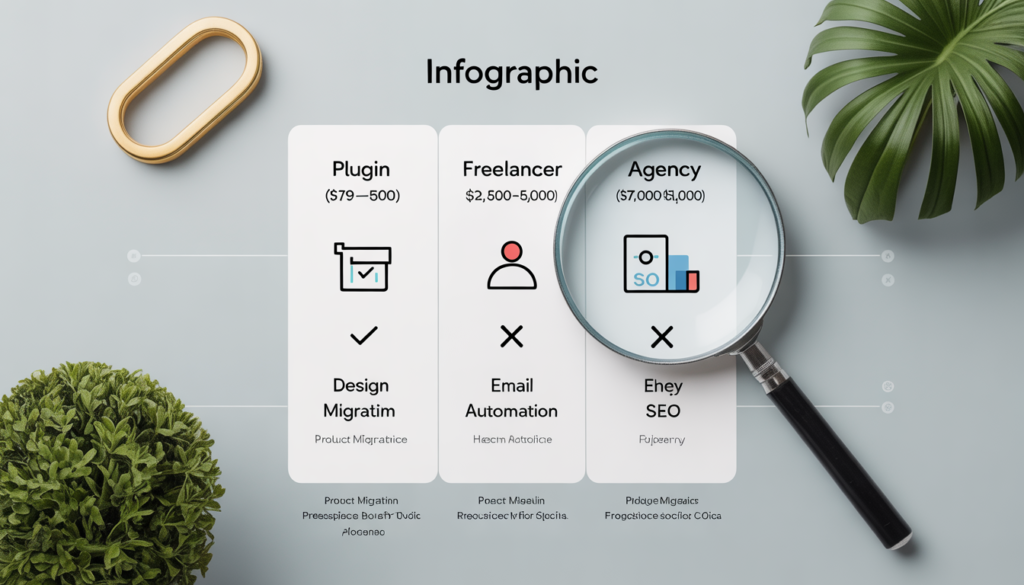
The range of costs for migrating an Amazon store to WooCommerce is surprisingly wide. Automated migration tools start as low as $79, while full‑service agencies charge $7,000–$15,000 or more. The difference isn’t markup — it’s scope. A $79 tool moves your products. A $10,000 migration moves your products, preserves your SEO, imports your reviews, sets up email automation, and gives you a custom design that actually looks like a brand.
This guide breaks down every cost component for a 500‑SKU store. By the end, you’ll know exactly which services you need, which you can skip, and what you should expect to pay for a professional result.
Part 1: The Cost Drivers — What Actually Determines the Price
Before looking at specific price tags, it’s worth understanding why costs vary so dramatically. According to industry research, e‑commerce migration costs typically range from $1,500 to $250,000+, depending on store size, platform, and customization. For a 500‑SKU Amazon store moving to WooCommerce, here’s what moves the needle.
Data Volume
The number of products, customers, orders, and reviews directly impacts migration complexity. A store with 100 products requires significantly less work than one with 10,000 products and complex variations. For 500 SKUs, you’re in the sweet spot — large enough to benefit from automation but not so large that manual cleanup becomes impossible.
Data Complexity
Not all products are created equal. Simple products (one SKU, no variations) are easy. Variable products (size, color, material combinations) require careful mapping between Amazon’s variation system and WooCommerce’s attribute system. Each variation multiplies the complexity.
Design and Customization
Some sellers want their new WooCommerce store to look exactly like their Amazon brand store. Others want a complete redesign. According to industry data, basic theme migration runs $500–$3,000, while a full custom design rebuild can cost $5,000–$25,000.
Integrations and Third‑Party Tools
Your Amazon store may be simple. Your WooCommerce store likely won’t be. Payment gateways, email marketing platforms (Klaviyo), shipping calculators, inventory management systems, and accounting software all need configuration. Development work for API integrations typically adds $5,000–$100,000+ depending on complexity.
SEO Preservation
If you’ve been selling on Amazon for years, your product pages may rank on Google. Those rankings are valuable — losing them can cost you thousands per month in lost traffic. Proper SEO migration requires URL mapping, 301 redirect setup, schema markup preservation, and meta tag transfer. This is often the most overlooked cost factor.
Part 2: The Three Professional Migration Options (With Real Numbers)
Let me walk through the three most common professional approaches for a 500‑SKU Amazon store, ranked by cost and service level.
Option 1: Automated Migration Plugin (DIY with Support) — $79–$500
Tools like LitExtension and Cart2Cart automate the data transfer process. You configure the migration yourself, but support teams are available if something goes wrong.
What’s included:
- Automated transfer of products, categories, images, and basic customer data
- No downtime during migration
- Free demo migration to preview results
- 24/7 support via chat or ticket
What’s NOT included:
- Custom design or theme setup
- SEO preservation (301 redirects, schema)
- Review migration (requires separate plugin)
- Email automation setup
- Post‑migration testing and cleanup
Cost breakdown for 500 SKUs:
- LitExtension Automated Package: starting at $49
- LitExtension All‑in‑One Package: around $139–$169
- Cart2Cart: pay‑per‑entity pricing (estimate $150–$300 for 500 products)
Who this is for: Sellers comfortable with technology who have time to handle design, SEO, and testing themselves. You get the data moved, but the store won’t be ready to launch without additional work.
Option 2: Freelancer or Small Agency — $1,500–$5,000
A freelancer or small agency handles the entire migration for you, including data transfer, basic design, and SEO setup.
What’s typically included:
- Full product, category, image, and customer migration
- Basic WooCommerce theme installation and configuration
- 301 redirect mapping for SEO preservation
- Meta title and description transfer
- Basic plugin setup (payment, shipping)
- Testing and quality assurance
What may be extra:
- Custom design (beyond basic theme customization)
- Review migration
- Email automation (Klaviyo integration)
- Ongoing support after launch
According to industry research, professional migration services for standard projects range from $200–$2,000+, while enterprise‑level migrations run $2,000–$5,000+. For 500 SKUs, you should expect to be in the $2,500–$4,000 range for a solid freelancer with WooCommerce experience.
Who this is for: Sellers who want a hands‑off experience but don’t need extensive customization or post‑launch marketing setup.
Option 3: Full‑Service E‑commerce Agency — $7,000–$15,000+
Agencies specializing in WooCommerce migrations (like Bastion Prime) offer end‑to‑end service, from data migration to design to email automation.
What’s typically included:
- Complete product, review, customer, and order migration
- Custom or premium theme design (brand‑aligned)
- SEO preservation (301 redirects, schema markup, meta tags)
- Review import and display configuration
- Email automation setup (welcome series, abandoned cart)
- Payment gateway and shipping configuration
- Performance optimization (speed, Core Web Vitals)
- Post‑launch support (30–90 days)
For mid‑size businesses with integrations, redesign, and SEO migration, total costs typically range from $15,000–$75,000. However, for a focused Amazon‑to‑WooCommerce migration with 500 SKUs and moderate customization, many agencies offer fixed‑price packages in the $7,000–$12,000 range.
Who this is for: Sellers who want a turnkey store that’s ready to launch, with all systems configured and no technical work left for the owner.
Related: If you’re still evaluating platforms, read our comparison of WooCommerce vs Shopify for Amazon sellers.
Part 3: Comparative Table — What You Actually Get at Each Price Point
Let me put all this information into a single comparison table for a 500‑SKU Amazon store.
| Service Component | Automated Plugin ($79–$500) | Freelancer/Small Agency ($1,500–$5,000) | Full‑Service Agency ($7,000–$15,000) |
|---|---|---|---|
| Product data migration | ✅ Automated | ✅ Full | ✅ Full |
| Category mapping | ✅ Basic | ✅ Full | ✅ Full |
| Image transfer | ✅ Automated | ✅ Full | ✅ Full |
| Customer data migration | ✅ Basic | ✅ Full | ✅ Full |
| Order history migration | ✅ Optional (extra) | ✅ Usually included | ✅ Full |
| Review migration | ❌ Not included | ❌ Usually extra | ✅ Included |
| 301 redirect mapping | ❌ Not included | ✅ Basic | ✅ Advanced |
| Meta tags (titles, descriptions) | ❌ Not included | ✅ Manual transfer | ✅ Automated + optimization |
| Schema markup | ❌ Not included | ✅ Basic (plugin) | ✅ Custom + testing |
| Design | ❌ Not included | ✅ Basic theme | ✅ Custom or premium |
| Email automation (Klaviyo) | ❌ Not included | ❌ Usually extra | ✅ Full setup |
| Payment gateway setup | ❌ Not included | ✅ Basic | ✅ Full |
| Performance optimization | ❌ Not included | ❌ Rare | ✅ Included |
| Post‑launch support | ❌ Not included | ❌ Limited (days) | ✅ 30–90 days |
| Estimated total cost | $79–$500 | $2,500–$5,000 | $7,000–$15,000 |
The table tells a clear story: you get what you pay for. A $500 plugin moves your products. A $15,000 agency delivers a complete, launch‑ready store with all the systems that make WooCommerce profitable.
Part 4: Hidden Costs Most Sellers Don’t Plan For
Even with a professional migration, there are expenses that often catch sellers off guard.
Review Migration (Often Overlooked)
Amazon reviews are one of your most valuable assets. Migrating them to WooCommerce requires a dedicated plugin (Customer Reviews for WooCommerce, ReviewX) and manual configuration. Expect to pay $50–$200 for the plugin plus 1–3 hours of setup.
Email Automation Setup
Your WooCommerce store won’t generate repeat sales without email automation. Klaviyo (the industry standard) requires configuration: welcome series (4–5 emails), abandoned cart sequence (3 emails), post‑purchase follow‑up, and win‑back campaigns. Freelancers typically charge $500–$1,500 for full Klaviyo setup.
SEO Migration Management
According to industry experts, hidden charges consisting of SEO migration management, URL redirect mapping, and historic order information migration regularly grow the overall budget. If your agency doesn’t explicitly include SEO preservation, assume it will cost an additional $500–$2,000.
Post‑Launch Fixes
No migration is perfect. Expect to spend 5–10 hours in the first month fixing minor issues: broken image links, incorrect prices, missing product variations, and checkout glitches. If you’re paying an agency by the hour, budget for post‑launch support.
Related: Once your store is live, you’ll need to maintain your search rankings. Read our guide on how to avoid losing SEO rankings when moving from Amazon to WooCommerce.
Part 5: ROI — When Professional Migration Pays for Itself
Let’s do the math on a 500‑SKU store with $40,000 in monthly Amazon revenue.
Before Migration (Amazon)
- Revenue: $40,000/month
- Amazon fees (15% referral + FBA + PPC): ~$12,000/month
- Net margin after fees: ~$8,000/month (20% net)
After Professional Migration ($10,000 investment)
- Revenue: $40,000/month (same)
- WooCommerce costs: ~$1,000/month (hosting, plugins, payment processing)
- Net margin after costs: ~$12,000/month (30% net)
Monthly profit increase: $4,000
Payback period on $10,000 migration: 2.5 months
Even if revenue stays exactly the same, the margin improvement alone pays for professional migration in less than a quarter. And most sellers see revenue growth after migration — because they own their customer data, can run email campaigns, and aren’t competing with 50 other sellers on the same product page.
Part 6: The Contrarian Opinion — When You Should NOT Hire a Professional
I’ll lose some consulting fees here, but honesty matters.
Do not hire a professional agency if:
- You have fewer than 100 SKUs. The DIY plugin route is fine.
- Your products are simple (no variations, no reviews, no customer accounts).
- Your monthly revenue is under $10,000. The ROI window is too long.
- You have a technical background and enjoy troubleshooting.
Do hire a professional if:
- You have 200+ SKUs with variations (size, color, material).
- Your Amazon store generates $20,000+ monthly.
- You don’t have 40–60 hours to dedicate to migration and troubleshooting.
- You want email automation, SEO preservation, and a custom design.
For most established Amazon sellers, professional migration offers better value when you account for risk reduction, time savings, and guaranteed results — the cost difference between a DIY mistake and a professional success is small compared to the revenue lost from a failed migration.
Part 7: How to Choose the Right Professional (Without Getting Ripped Off)
If you decide to hire a professional, here’s how to evaluate quotes.
Red Flags to Watch For
- No fixed‑price quote. If an agency won’t give you a fixed price for a 500‑SKU migration, walk away. Hourly billing for migration is a trap.
- No SEO mention. If they don’t bring up 301 redirects, schema, or meta tags, they don’t understand Amazon‑to‑WooCommerce migrations.
- No review migration plan. Amazon reviews are valuable. If they don’t have a process for importing them, find another agency.
- No post‑launch support. Things will break. Make sure support is included.
What a Good Quote Should Include (for 500 SKUs)
- Fixed price (not hourly)
- Product, category, image, customer, and order migration
- Review migration (explicitly stated)
- 301 redirect mapping and implementation
- Meta title and description transfer
- Schema markup configuration
- Basic theme installation (or custom design if specified)
- Payment and shipping setup
- 30 days of post‑launch support
Questions to Ask Before Hiring
- “How many Amazon‑to‑WooCommerce migrations have you completed?”
- “What happens if my reviews don’t import correctly?”
- “Do you handle 301 redirects for all product URLs?”
- “What’s included in post‑launch support?”
- “Can you share a case study from a similar‑sized store?”
Your Next Move
A professional migration for a 500‑SKU Amazon store typically costs between $2,500 and $12,000, depending on the level of service. The cheapest option moves your data. The most expensive delivers a complete, launch‑ready store with email automation, SEO preservation, and custom design.
For most established sellers, the margin improvement alone pays for professional migration in under three months. And the peace of mind — knowing your store won’t break, your SEO won’t tank, and your reviews won’t disappear — is priceless.
If you’d like a fixed‑price quote for your specific catalog, we’d be happy to help. Our Growth Package ($3,997) migrates up to 200 products with email automation and review import. For 500 SKUs, we offer a custom quote based on your specific needs.
Book a free migration cost assessment. We’ll review your Amazon catalog, calculate exactly what you need, and give you a fixed price — no hourly billing, no surprises.
👉 Book Your Free Consultation →
Related Reading
- How Much Does It Cost to Migrate from Amazon to WooCommerce Professionally?
- How to Migrate Products from Amazon to WooCommerce Without Manual CSV Export
- Why I Migrated My Amazon FBA Business to WooCommerce (And Doubled My Margin in 90 Days)
- Store Audit & Strategy Session ($197 – credited toward any package)
- Growth Package ($3,997) – For Sellers Ready to Scale
- Premium Package ($7,997) – Complete Done‑For‑You Store for Established Brands