
Published by Bastion Prime | Edited by Heorhi Tratsiak, CEO
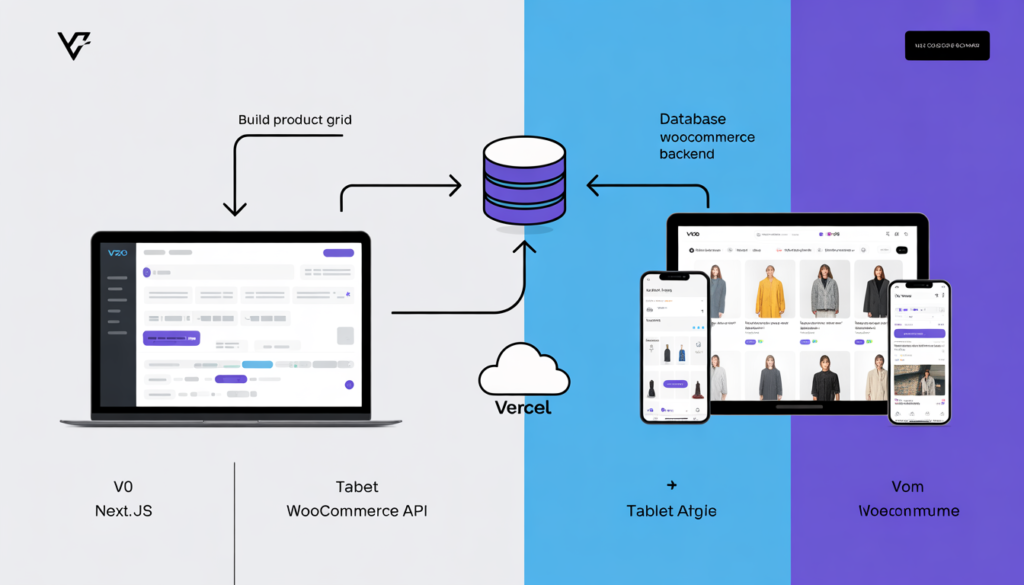
You’re tired of bloated WooCommerce themes. Page builders slow you down. Every design change requires a developer. But you’re not ready to hire a full‑time React team. What if you could describe your dream storefront in plain English and have AI generate the code in minutes? Then connect it to your WooCommerce backend without touching PHP. That’s not science fiction. That’s v0 + Headless WooCommerce. Here’s how to build a custom, lightning‑fast storefront in one afternoon.
I’ve built WooCommerce stores for over a decade. I’ve wrestled with clunky themes, broken page builders, and client requests that should be simple but turn into week‑long projects. The problem isn’t WooCommerce – it’s the frontend.
Traditional WooCommerce forces you into a tightly coupled system. Your design lives inside WordPress. Every change means logging into the dashboard, tweaking CSS, hoping nothing breaks.
Headless changes everything. You separate the frontend (what customers see) from the backend (your products, carts, orders). You get complete design freedom, blazing speed, and the ability to use modern React components – all while keeping WooCommerce as your trusted commerce engine.
But headless has a reputation for being complex. You need to write React code, manage state, handle API calls. That’s where v0 comes in. v0 is Vercel’s AI‑powered frontend generator. You describe a component in plain English, and v0 writes the React + Tailwind code for you. No more staring at a blank editor.
This guide walks you through combining v0 and WooCommerce to build a custom storefront in a single afternoon. No deep React experience required. Just a WooCommerce store, a free v0 account, and a willingness to paste generated code.
Related: If you’re new to headless concepts, read our introduction Headless WooCommerce vs Traditional – Which One Scales?
Part 1: What You’ll Build (And Why It’s Worth Your Afternoon)
By the end of this guide, you’ll have:
- A custom Next.js storefront deployed on Vercel (free hosting)
- Your WooCommerce backend still running on your existing hosting
- Product listing pages generated by v0, connected to live WooCommerce data
- A shopping cart using WooCommerce’s Store API (no keys required)
- A checkout flow that submits orders back to WooCommerce
All without writing a single line of React from scratch. v0 writes the components. You copy, paste, and connect a few API calls.
Why bother? A headless storefront loads 2–3x faster than traditional WooCommerce. You’re not loading jQuery, theme CSS, plugin styles, or database queries on every page. Your frontend becomes static HTML + React, served from a CDN. Google loves this. Your conversion rates will thank you.
Part 2: Tools You’ll Need (All Free)
| Tool | Purpose | Cost |
|---|---|---|
| v0 | Generate React components from text prompts | Free tier (good for 10+ components) |
| WooCommerce | Your existing store backend | Already running |
| Next.js | React framework for the frontend | Free |
| Vercel | Hosting for Next.js | Free tier (generous limits) |
| WooCommerce Store API | Public API for cart & checkout | Included |
| WooCommerce REST API | Authenticated API for products | Free (generates keys) |
You don’t need a local development environment to start. v0 runs in the browser. You can generate components, then later set up Next.js locally or directly on Vercel.
Part 3: Step‑by‑Step – Build the Frontend with v0
Step 1 – Generate Your Product Grid
Open v0.dev and sign in with GitHub. Start a new chat.
Prompt:
*Create a responsive product grid component in Next.js + Tailwind CSS. Each product card shows an image, title, price, and an “Add to Cart” button. Use placeholder data with id, name, price, image_url. Grid should be 2 columns on mobile, 4 columns on desktop. Include hover effect on the card (shadow, scale).*
v0 will generate a complete React component. It might use useState for the cart, but you’ll replace that later. Copy the code into a new file called ProductGrid.jsx in your future Next.js project.
Step 2 – Generate a Cart Drawer
Prompt:
Create a cart drawer component (slide‑in from right) with Next.js and Tailwind. It should display cart items: product image, title, quantity selector, price, remove button. Show subtotal and a “Checkout” button. Include a mock cart state with two example items.
v0 will produce a drawer with useState for open/close and cart items. This is exactly what you need for the frontend behavior.
Step 3 – Generate a Checkout Form
Prompt:
Build a checkout form component with fields: full name, email, address, city, state, zip, country. Use form validation (required fields, email format). Style with Tailwind CSS. Include a summary of cart items (mock data).
v0 might also generate a react-hook-form setup, which is fine. You’ll later submit this data to WooCommerce.
Step 4 – Generate a Product Detail Page Template
Prompt:
Generate a product detail page component for Next.js. It should show product image, title, description, price, quantity selector, and “Add to Cart” button. Include a related products section (placeholder). Use Tailwind CSS.
Now you have all the core components: grid, cart drawer, checkout, product page. Total time: less than 30 minutes.
Pro tip: Use v0’s “Remix” button to tweak generated components. Ask for changes like “make the card more minimal” or “add a badge for sale items.” v0 will update the code instantly.
Part 4: Set Up Your Next.js Project
You’ve got the components. Now you need a project to host them.
Step 1 – Create the Next.js App
Run this in your terminal (or use an online IDE like StackBlitz):
bash
npx create-next-app@latest my-headless-store
cd my-headless-store
npm install axios
Choose “Yes” for App Router (it’s easier for beginners).
Step 2 – Add Your v0 Components
Create a components folder. Paste the components from v0 into separate files: ProductGrid.jsx, CartDrawer.jsx, CheckoutForm.jsx, ProductDetail.jsx.
You’ll need to adjust imports – v0 often uses '@/components/ui/button' which assumes a shadcn/ui setup. For simplicity, replace those with regular HTML buttons for now. Or install shadcn/ui (npx shadcn-ui@latest init). The choice is yours.
Step 3 – Connect to WooCommerce API
Create a file lib/woocommerce.js:
javascript
import axios from 'axios';

const API_URL = process.env.NEXT_PUBLIC_WOOCOMMERCE_URL;
const CONSUMER_KEY = process.env.WC_CONSUMER_KEY;
const CONSUMER_SECRET = process.env.WC_CONSUMER_SECRET;

export async function fetchProducts() {
  const res = await axios.get(`${API_URL}/wp-json/wc/v3/products`, {
    auth: { username: CONSUMER_KEY, password: CONSUMER_SECRET },
    params: { per_page: 20, status: 'publish' }
  });
  return res.data;
}

export async function addToCart(productId, quantity = 1) {
  const res = await axios.post(`${API_URL}/wp-json/wc/store/cart/add-item`, {
    id: productId,
    quantity
  });
  return res.data;
}

export async function getCart() {
  const res = await axios.get(`${API_URL}/wp-json/wc/store/cart`);
  return res.data;
}
Note: The Store API works without authentication. That’s why you don’t need keys for cart and checkout.
Step 4 – Replace Placeholder Data with Live Data
In app/page.js, replace the placeholder product grid with your real component and data:
javascript
import { fetchProducts } from '@/lib/woocommerce';
import ProductGrid from '@/components/ProductGrid';

export default async function HomePage() {
  const products = await fetchProducts();
  return <ProductGrid initialProducts={products} />;
}
Adjust your ProductGrid component to accept initialProducts as a prop and use that instead of mock data.
Step 5 – Deploy to Vercel
Push your code to a GitHub repository. Log in to Vercel, import the repo, and add environment variables:
NEXT_PUBLIC_WOOCOMMERCE_URL= your WordPress site URL (e.g.,https://yourstore.com)WC_CONSUMER_KEYandWC_CONSUMER_SECRETfrom WooCommerce REST API
Vercel will build and deploy your store in minutes. Your frontend is live.
Part 5: Fine‑Tune and Launch
With everything connected, you’ll have a working headless WooCommerce store. But there are a few finishing touches.
Enable CORS on WordPress
Because your frontend lives on a different domain (e.g., yourstore.vercel.app), you need to allow cross‑origin requests. Add this to your wp-config.php:
php
header("Access-Control-Allow-Origin: https://yourstore.vercel.app");Replace with your actual Vercel URL. Never use * in production.
Improve Static Site Generation
For best performance, use Next.js static generation with incremental static regeneration (ISR). In your product listing page:
javascript
export const revalidate = 3600; // revalidate every hour

export async function generateStaticParams() {
  const products = await fetchProducts();
  return products.map((product) => ({ slug: product.slug }));
}
This pre‑builds your most important product pages at deploy time, then revalidates hourly.
Add a Custom Domain
Point a domain like shop.yourbrand.com to Vercel. Then update your CORS header and WooCommerce settings so the frontend matches.
Related: For deeper performance tuning, read SEO for WooCommerce: 10 Settings That Actually Work.
Part 6: The Contrarian View – When Not to Go Headless
Headless is powerful, but it’s not for everyone.
Stick with traditional WooCommerce if:
- You rely heavily on plugins that modify the frontend (e.g., special checkout fields, custom product add‑ons). Those plugins won’t work headless.
- You have fewer than 200 products and your current store loads in under 2 seconds. The complexity isn’t worth it.
- You don’t have someone who can maintain the React frontend (updates, dependencies, etc.).
Go headless with v0 if:
- You have 500+ products and your current theme feels sluggish.
- You want complete creative freedom without fighting a theme.
- You’re comfortable copying and pasting generated code and tweaking a few API calls.
Even if you don’t build the entire store yourself, v0 can help you prototype. You can hand off the generated components to a developer for final integration.
Your Next Move
You don’t need a six‑figure agency budget to build a custom headless WooCommerce store. With v0 generating the frontend components and WooCommerce handling the backend, you can launch a unique, fast store in a single afternoon.
If you’d rather focus on your products and leave the headless architecture to experts, we offer fixed‑price headless WooCommerce builds. We take your design, generate components (or write them from scratch), and integrate with your existing WooCommerce backend. You get a custom storefront without months of development.
Book a free headless consultation. We’ll review your current WooCommerce setup and give you a fixed‑price roadmap for a headless storefront.
👉 Book Your Free Consultation →
Related Reading
- We Gave Our WooCommerce Store an AI Brain and Sales Went Up 28% in 30 Days
- From Zero to Store: The AI Builders Every E‑commerce Seller Should Know
- Best WooCommerce SEO Plugin: Rank Math vs Yoast vs AI – Full Comparison
- Store Audit & Strategy Session ($197 – credited toward any package)
Bastion Prime is a UK‑registered e‑commerce agency specializing in headless WooCommerce development, AI‑assisted frontend generation, and high‑performance storefronts for US brands.