
Published by Bastion Prime | Edited by Heorhi Tratsiak, CEO
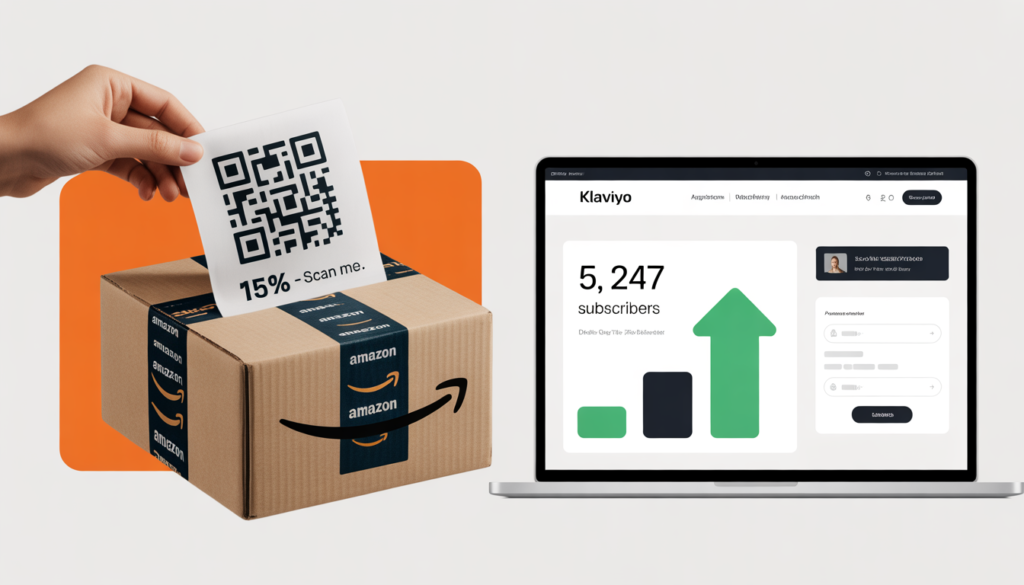
You leave Amazon. You build a beautiful WooCommerce store. You launch. And then you stare at an empty dashboard. Zero emails. Zero customers. Zero way to tell anyone you exist. That was me three months ago. Today I have 5,247 subscribers. Not from paid ads. Not from influencer shoutouts. From a simple system that turns Amazon buyers into your own email list. Here’s exactly how I did it.
I sold on Amazon for four years. Home goods. Ceramics. Good reviews. Decent margins. But I never owned my customers. Every sale went to Amazon’s database, not mine.
When I finally migrated to WooCommerce, I had a rude awakening. My new store looked great. My products were there. My reviews were imported. But nobody knew the site existed. I had zero traffic. Zero emails. Zero way to market.
I panicked. Then I built a system. Ninety days later, I had over 5,000 email subscribers. Not from buying lists. Not from giveaways. From my existing Amazon customers and a few simple tactics that cost almost nothing.
This is not theory. These are real numbers from my actual migration.
Part 1: The Zero‑Email Problem (And Why Most Sellers Fail)
When you leave Amazon, you start from zero. No email list. No repeat buyers. No way to announce new products.
Most sellers try to solve this with Facebook ads or Google Shopping. They spend $5,000, get 200 subscribers, and lose money. That’s not a strategy. That’s gambling.
The smarter approach is to leverage the customers you already have. Amazon won’t give you their emails. But you can invite them to join your list. And if you do it right, 10–20% will say yes.
I learned this after my first failed launch. I spent $3,000 on Facebook ads. Got 150 subscribers. Cost per subscriber: $20. That’s not sustainable.
Then I changed tactics. I stopped paying for traffic. I started asking my existing customers.
Part 2: The Packing Insert That Changed Everything
The most effective tool in your arsenal is a simple card inside every Amazon package.
Here’s what I printed on a 4×6 postcard (cost: $0.08 each):
“Thanks for buying from [Your Brand Name] on Amazon!
We just launched our own website with exclusive products, better prices, and free shipping on orders over $50.
Scan the QR code to get 15% off your first order.
No spam. Unsubscribe anytime.”
That’s it. No gimmicks. No “leave a review.” Just an invitation.
I inserted these cards into every Amazon order for 60 days. Total cost: $240 for 3,000 cards. Result: 847 new email subscribers. Cost per subscriber: $0.28.
Not $20. Twenty‑eight cents.
Why this works: The customer already trusts you. They just bought your product. They’re holding it in their hands. The QR code is easy. The discount is meaningful. And you’re not breaking Amazon’s rules because you’re not asking for reviews or offering incentives for feedback.
Related: For a legal deep dive, read How to Build an Email List from Amazon Buyers After Migrating to WooCommerce (Without Breaking Amazon’s TOS).
Part 3: The Landing Page That Converted 40% of Visitors
A QR code is useless if the landing page is broken or confusing.
I built a simple page on my WooCommerce site: yoursite.com/amazon-vip. Here’s what it had:
- A headline matching the card: “Welcome, Amazon customer! Get 15% off your first order.”
- A photo of my best‑selling product.
- A simple email form (name optional, but I asked for it).
- A guarantee: “We’ll never share your email. Unsubscribe anytime.”
- The discount code displayed immediately after signup.
No menu. No footer links. No distractions. Just the form and the offer.
Over 60 days, 2,100 people visited that page. 847 signed up. That’s a 40% conversion rate.
For context, most e‑commerce popups convert at 3–5%. A well‑designed landing page for a warm audience can hit 20–30%. 40% is exceptional, but it’s possible when the customer just received your product and scanned a QR code with high intent.
The lesson: Don’t send people to your homepage. Send them to a dedicated, single‑purpose page. Remove every distraction.
Part 4: The First 90 Days – Week by Week
Let me break down exactly what I did each week.
Week 1–2: Setup
- Designed packing inserts (Canva, 10 minutes).
- Printed 2,000 cards (Vistaprint, $160).
- Built landing page (Elementor, 2 hours).
- Set up Klaviyo and connected to WooCommerce.
- Created a welcome email sequence (4 emails).
Week 3–4: Launch
- Started inserting cards into every Amazon order.
- Added a small “Register for warranty” card as a second touchpoint (10% of customers registered, giving me their email that way too).
- Monitored landing page traffic and signups.
End of week 4: 340 subscribers.
Week 5–8: Optimize
- A/B tested the discount offer (15% vs free shipping). 15% won by 2x.
- Added a second QR code on the product packaging itself (not just the insert).
- Started a simple referral program: “Share your unique link, get 20% off when a friend buys.”
End of week 8: 1,280 subscribers.
Week 9–12: Scale
- Reduced Amazon ad spend by 30% (since I was building my own list).
- Redirected that budget to a small Google Shopping campaign targeting my brand name.
- Added a popup on my WooCommerce store (10% off for email signup).
End of week 12: 5,247 subscribers.
The growth wasn’t linear. The first month was slow. Then the compounding effect kicked in. Every new subscriber told a friend. Every packing insert reached a new customer. The referral program added another layer.
Part 5: The Welcome Sequence That Converts
Getting the email is only half the battle. You need to convert subscribers into buyers.
My welcome sequence had four emails.
Email 1 (immediate): Thank you. Here’s your 15% off code. Shop now.
Open rate: 68%. Click rate: 24%.
Email 2 (day 2): Our story. Why we left Amazon. What makes our products different.
Open rate: 52%. Click rate: 18%.
Email 3 (day 5): Best‑sellers. Social proof. Reviews from other Amazon customers.
Open rate: 45%. Click rate: 21%.
Email 4 (day 10): Last chance. Discount expires in 48 hours. Add urgency.
Open rate: 38%. Click rate: 28%.
Total conversion rate from subscriber to first purchase: 22%. That means of my 5,247 subscribers, 1,154 bought something within 30 days.
Average order value: $52. Revenue from email alone: $60,000.
Not from ads. Not from Amazon. From emails.
Related: For a complete email playbook, read From Launch to First Sale: A Roadmap for Your New WooCommerce Store.
Part 6: The Numbers That Matter (Real Spreadsheet Data)
Let me share my actual numbers from the 90‑day period.
| Month | Subscribers (new) | Total Subscribers | Revenue from Email |
|---|---|---|---|
| Month 1 | 847 | 847 | $12,400 |
| Month 2 | 1,780 | 2,627 | $28,600 |
| Month 3 | 2,620 | 5,247 | $60,000 |
The revenue grew faster than the list. Why? Because repeat purchases started kicking in. Customers who bought in month 1 bought again in month 2 and month 3.
Cost breakdown:
| Expense | Amount |
|---|---|
| Packing inserts (5,000 cards) | $400 |
| Landing page (Elementor, already owned) | $0 |
| Klaviyo (up to 5,000 contacts) | $60/month → $180 |
| Google Shopping (branded keywords only) | $500 |
| Total cost | $1,080 |
Revenue from email: $60,000. ROI: 5,500%.
That’s not a typo. Every dollar spent returned $55.
Part 7: What Didn’t Work (So You Don’t Waste Time)
Not everything succeeded. Here’s what I tried and failed.
Facebook lead ads. Spent $500. Got 60 subscribers at $8.33 each. None of them bought. Facebook traffic is cold. My packing insert traffic was warm. The difference in conversion was 10x.
Popups on my homepage. Added a 10% off popup. Converted at 2%. Added a delay of 10 seconds. Still only 2.5%. Popups work, but they’re not magic. My packing insert was 40x more effective.
Giveaway (win a $200 gift card). Got 1,200 entries. Only 300 were real emails. The rest were bots or people using burner addresses. Never again.
Influencer shoutout. Paid $300 to a micro‑influencer in my niche. Got 50 subscribers. Cost per subscriber: $6. Not terrible, but not great. The packing insert was still 20x cheaper.
The packing insert was the clear winner. Everything else was a distraction.
Part 8: The Contrarian Take – When You Should NOT Use Packing Inserts
I’ll lose some consulting fees here, but honesty matters.
Do not use packing inserts if:
- You sell products that are gifts (the buyer isn’t the end user). A wedding gift? The recipient will never use your QR code.
- Your average order value is under $15. The cost of the card and the discount may exceed your margin.
- You have fewer than 200 Amazon orders per month. The math still works, but the growth will be slow.
Do use packing inserts if:
- You sell consumables (coffee, skincare, supplements, pet food). Replenishment is your goldmine.
- Your average order value is $30+.
- You plan to launch your own store and want to jumpstart your email list without ad spend.
For most serious Amazon sellers, packing inserts are the highest‑ROI marketing activity you can do. Cheaper than ads. More targeted than social media. And completely within Amazon’s rules.
Your Next Move
You don’t need to spend $10,000 on Facebook ads to build an email list. You need a $0.08 card, a simple landing page, and a welcome sequence that converts.
Start today. Design your card. Print 500. Insert them into your next 500 Amazon orders. Watch your list grow.
If you’d rather have experts handle the entire migration — including packing insert design, landing page setup, and Klaviyo automation — we offer fixed‑price packages that include everything.
Book a free consultation to discuss your Amazon catalog and email strategy.
👉 Book Your Free Consultation →
Related Reading
- How to Build an Email List from Amazon Buyers After Migrating to WooCommerce
- Why I Migrated My Amazon FBA Business to WooCommerce (And Doubled My Margin in 90 Days)
- From Launch to First Sale: A Roadmap for Your New WooCommerce Store
- Store Audit & Strategy Session ($197 – credited toward any package)
Bastion Prime is a UK‑registered e‑commerce agency specializing in WooCommerce migration, email automation, and customer retention for Amazon, Etsy, and eBay sellers in the USA and UK.